环境说明
| IP | HOSTNAME | NOTE |
|---|
| 10.10.10.88 | win10_dqy | 实验主机 |
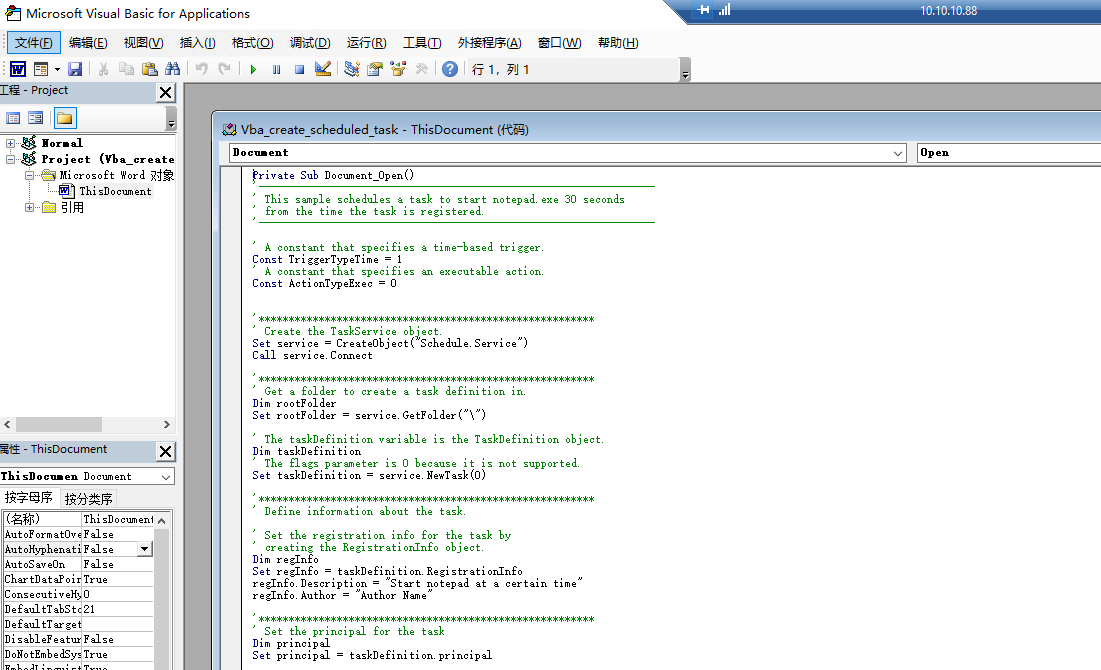
VBA脚本内容如下:
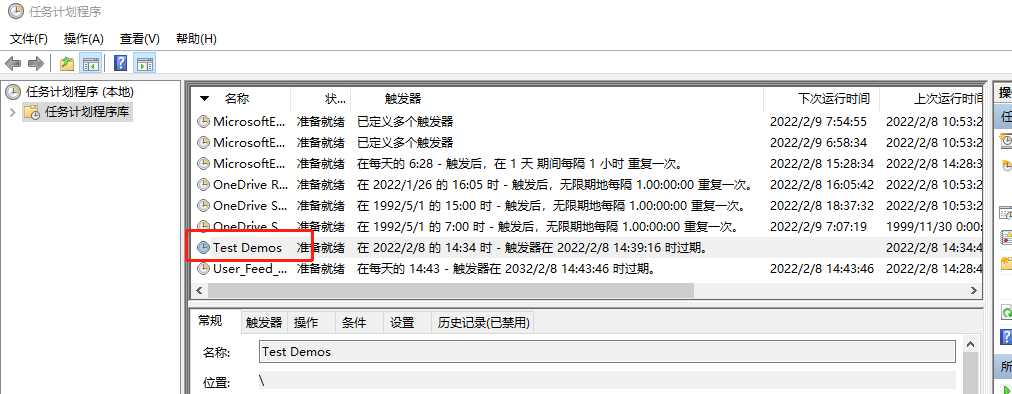
- 创建计划任务执行calc.exe,任务名称为"Test Demos"
Private Sub Document_Open()
'------------------------------------------------------------------
' This sample schedules a task to start notepad.exe 30 seconds
' from the time the task is registered.
'------------------------------------------------------------------

' A constant that specifies a time-based trigger.
Const TriggerTypeTime = 1
' A constant that specifies an executable action.
Const ActionTypeExec = 0


'********************************************************
' Create the TaskService object.
Set service = CreateObject("Schedule.Service")
Call service.Connect

'********************************************************
' Get a folder to create a task definition in.
Dim rootFolder
Set rootFolder = service.GetFolder("\")

' The taskDefinition variable is the TaskDefinition object.
Dim taskDefinition
' The flags parameter is 0 because it is not supported.
Set taskDefinition = service.NewTask(0)

'********************************************************
' Define information about the task.

' Set the registration info for the task by
' creating the RegistrationInfo object.
Dim regInfo
Set regInfo = taskDefinition.RegistrationInfo
regInfo.Description = "Start notepad at a certain time"
regInfo.Author = "Author Name"

'********************************************************
' Set the principal for the task
Dim principal
Set principal = taskDefinition.principal

' Set the logon type to interactive logon
principal.LogonType = 3


' Set the task setting info for the Task Scheduler by
' creating a TaskSettings object.
Dim settings
Set settings = taskDefinition.settings
settings.Enabled = True
settings.StartWhenAvailable = True
settings.Hidden = False

'********************************************************
' Create a time-based trigger.
Dim triggers
Set triggers = taskDefinition.triggers

Dim trigger
Set trigger = triggers.Create(TriggerTypeTime)

' Trigger variables that define when the trigger is active.
Dim startTime, endTime

Dim time
time = DateAdd("s", 30, Now)  'start time = 30 seconds from now
startTime = XmlTime(time)

time = DateAdd("n", 5, Now) 'end time = 5 minutes from now
endTime = XmlTime(time)

trigger.StartBoundary = startTime
trigger.EndBoundary = endTime
trigger.ExecutionTimeLimit = "PT5M"    'Five minutes
trigger.ID = "TimeTriggerId"
trigger.Enabled = True

'***********************************************************
' Create the action for the task to execute.

' Add an action to the task to run notepad.exe.
Dim Action
Set Action = taskDefinition.Actions.Create(ActionTypeExec)
Action.Path = "C:\Windows\System32\calc.exe"

'***********************************************************
' Register (create) the task.

Call rootFolder.RegisterTaskDefinition( _
    "Test Demos", taskDefinition, 6, , , 3)

End Sub

'------------------------------------------------------------------
' Used to get the time for the trigger
' startBoundary and endBoundary.
' Return the time in the correct format:
' YYYY-MM-DDTHH:MM:SS.
'------------------------------------------------------------------
Function XmlTime(t)
    Dim cSecond, cMinute, CHour, cDay, cMonth, cYear
    Dim tTime, tDate

    cSecond = "0" & Second(t)
    cMinute = "0" & Minute(t)
    CHour = "0" & Hour(t)
    cDay = "0" & Day(t)
    cMonth = "0" & Month(t)
    cYear = Year(t)

    tTime = Right(CHour, 2) & ":" & Right(cMinute, 2) & _
        ":" & Right(cSecond, 2)
    tDate = cYear & "-" & Right(cMonth, 2) & "-" & Right(cDay, 2)
    XmlTime = tDate & "T" & tTime
End Function
查看创建的定时任务