Environment
| IP | HOSTNAME | NOTE |
|---|
| 10.10.10.88 | win10_dqy | Test host |
Reproduction Process
Registry entries involved
HKEY_LOCAL_MACHINE/SOFTWARE/Microsoft/Windows/CurrentVersion/Policies/System
- UAC高
ConsentPromptBehaviorAdmin:2
EnableLUA:1
PromptOnSecureDesktop:1

- UAC中
ConsentPromptBehaviorAdmin:5
EnableLUA:1
PromptOnSecureDesktop:1

- UAC低
ConsentPromptBehaviorAdmin:5
EnableLUA:1
PromptOnSecureDesktop:0

- UAC关闭
ConsentPromptBehaviorAdmin:0
EnableLUA:0
PromptOnSecureDesktop:0
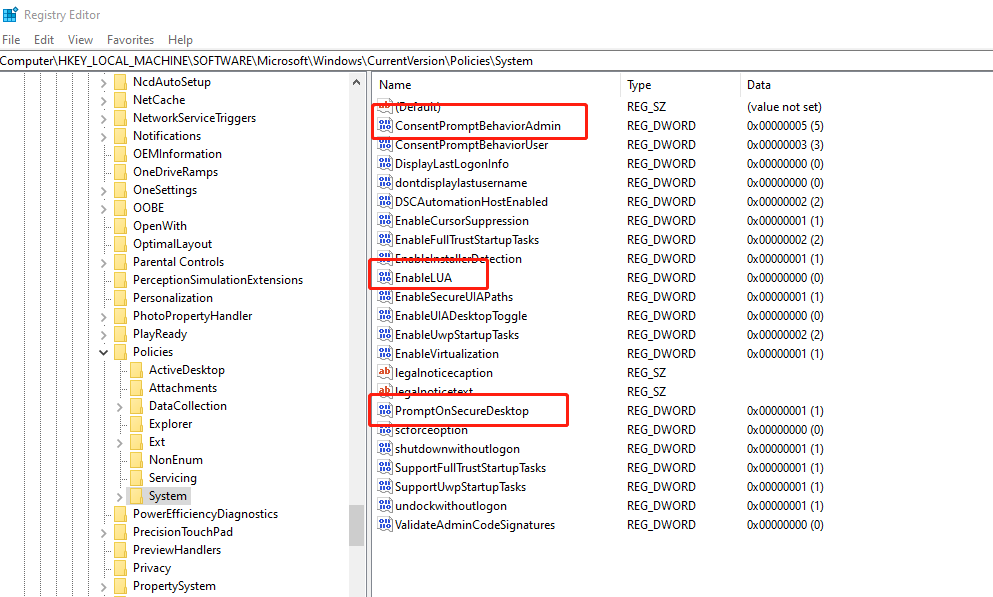
Modify the registry to disable UAC
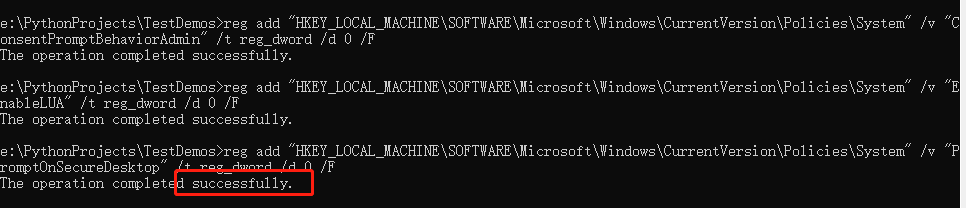
- Open cmd and run the following commands:
reg add "HKEY_LOCAL_MACHINE\SOFTWARE\Microsoft\Windows\CurrentVersion\Policies\System" /v "ConsentPromptBehaviorAdmin" /t reg_dword /d 0 /F
reg add "HKEY_LOCAL_MACHINE\SOFTWARE\Microsoft\Windows\CurrentVersion\Policies\System" /v "EnableLUA" /t reg_dword /d 0 /F
reg add "HKEY_LOCAL_MACHINE\SOFTWARE\Microsoft\Windows\CurrentVersion\Policies\System" /v "PromptOnSecureDesktop" /t reg_dword /d 0 /F