Environment Description
| IP | HOSTNAME | NOTE |
|---|---|---|
| N/A | WIN10 | Test machine |
WMI
WMI(Windows Management Instrumentation,WindowsManagement Specification) is a coreWindowsmanagement technology; users can useWMIto manage local and remote computers.
Disk Volume Shadow Copies
Definition of Disk Volume Shadow Copies
- The volume shadow copy feature provides instantaneous point-in-time copies of files on network shares. By using shadow copies of shared folders, you can view the contents of a network folder at a certain point in the past.
Tips: Put simply, it is a snapshot feature
Create a Volume Shadow Copy
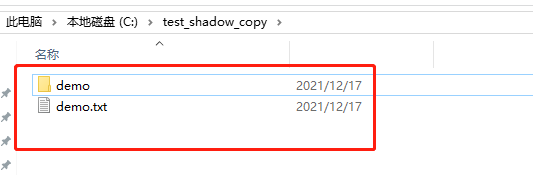
- For this experiment, two files were created on the
Cdrive.
- Find the System Protection feature: Control Panel -> System and Security -> System -> System Protection, as shown below:
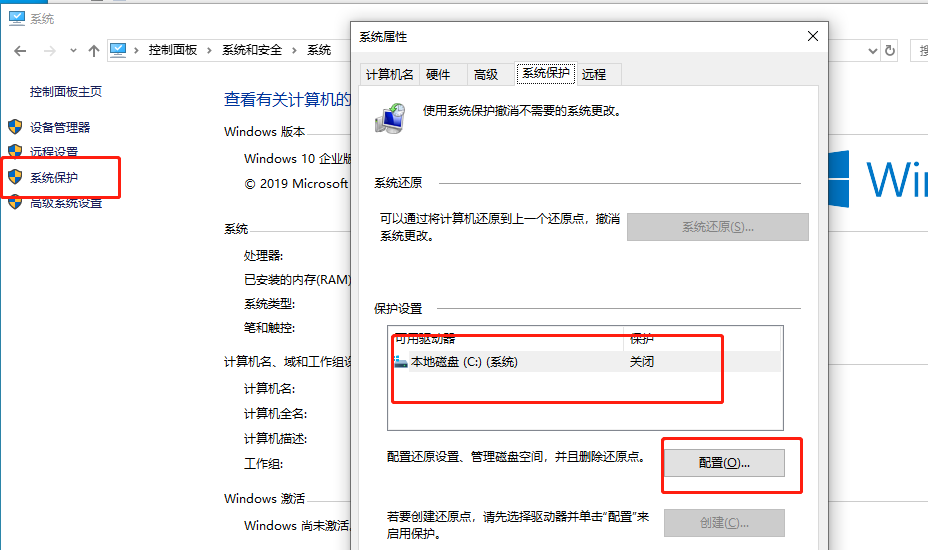
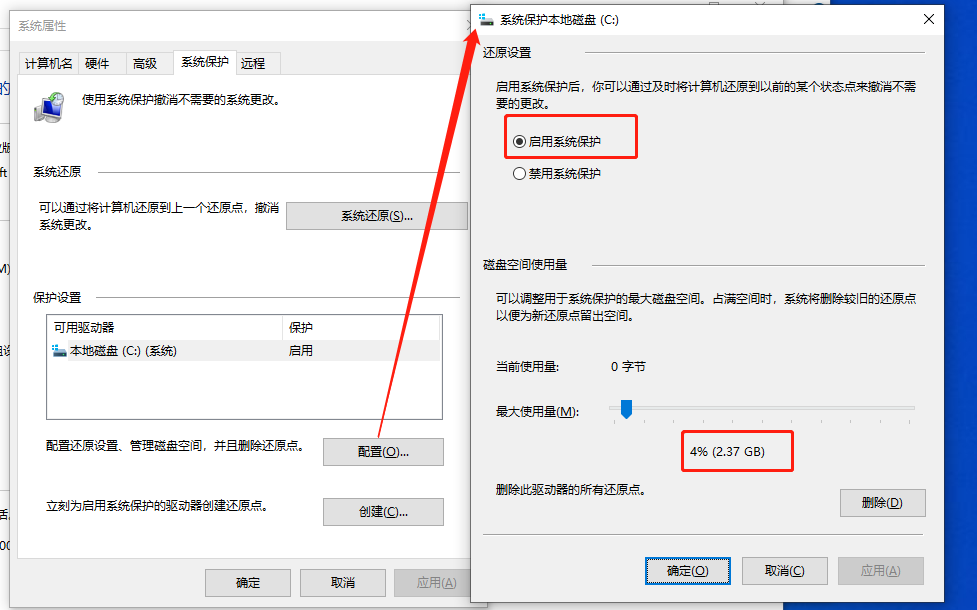
- Click Configure, enable system protection, and allocate disk space for system protection
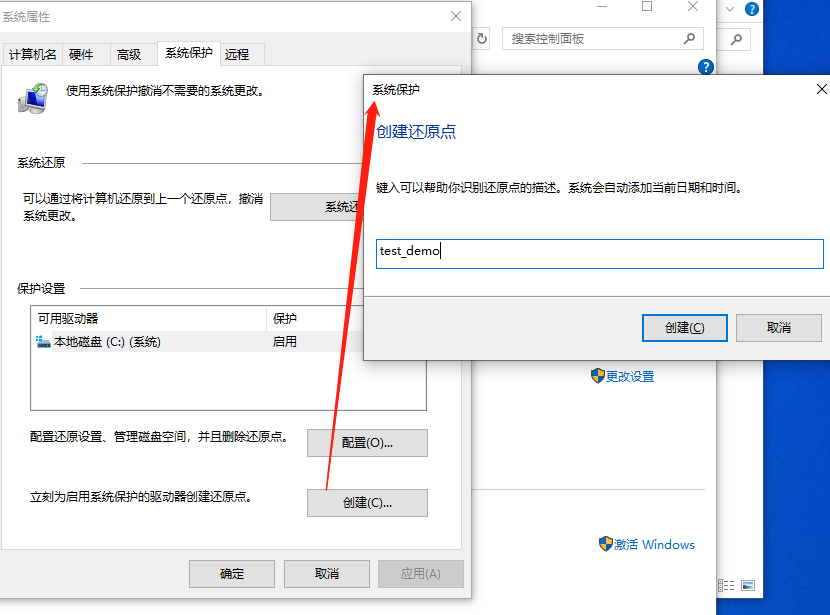
- Return to the System Properties window and click Create to create a restore point, as shown below:
- View the disk properties, where the restore point can be seen, as shown below:
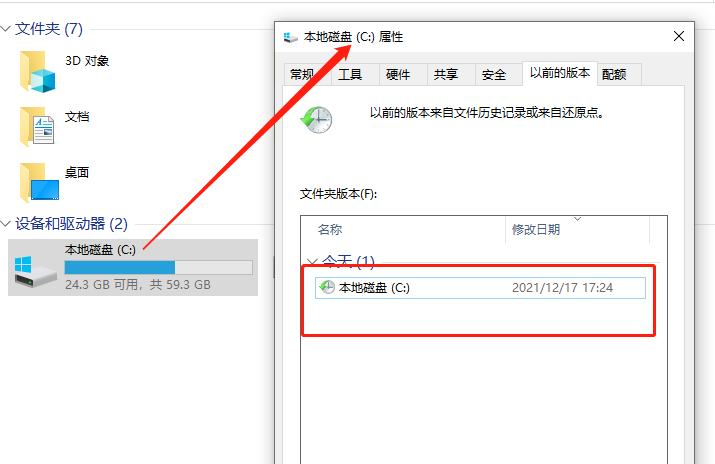
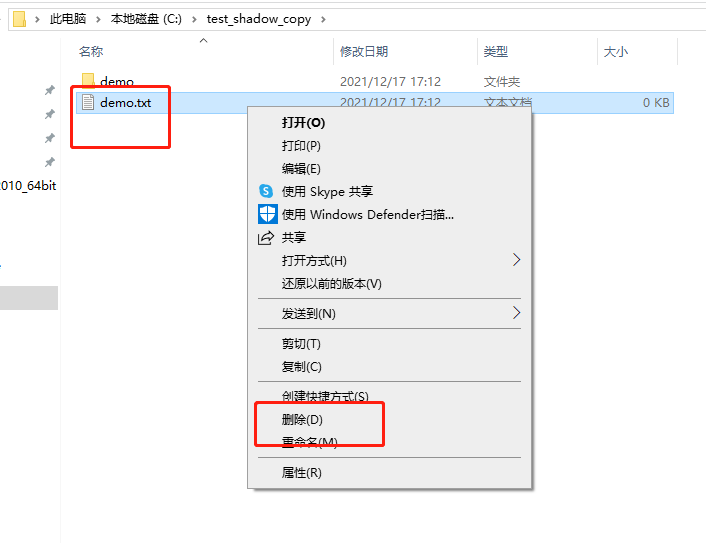
- At this point, delete the previously created demo file and empty the Recycle Bin
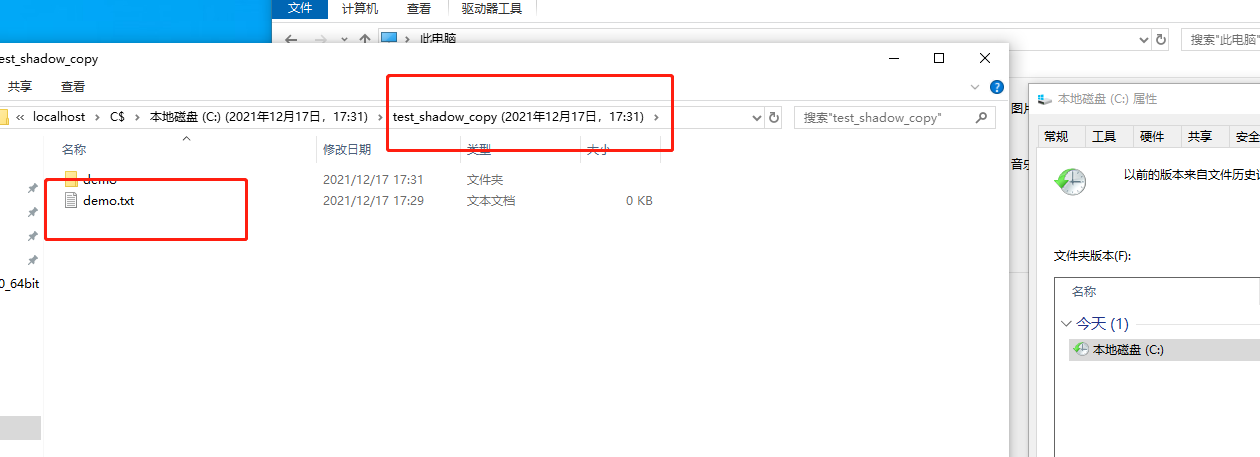
- At this point, if we still want to restore the file, we can restore it by opening the disk volume shadow copy, as shown below:
In Powershell, Use WMI to Delete Disk Volume Shadow Copies
Start the VSS Service
Start-Service -Name VSS
View and Delete Volume Shadow Copies
wmic shdowcopy

wmic shadowcopy delete /nointeractive
