Environment Description
| IP | HOSTNAME | NOTE |
|---|
| 10.10.10.91 | N/A | CentOS |
Environment Setup
Install and Start docker
if [ "" == "`which docker`" ]; then echo "Docker Not Found"; if [ -n "`which apt-get`" ]; then sudo apt-get -y install docker ; elif [ -n "`which yum`" ]; then sudo yum -y install docker ; fi ; else echo "Docker installed"; fi
# 启动docker
systemctl start docker
Install kind
curl -Lo ./kind https://kind.sigs.k8s.io/dl/v0.10.0/kind-linux-amd64
chmod +x ./kind
mv kind /usr/bin/kind
Create the atomic Cluster
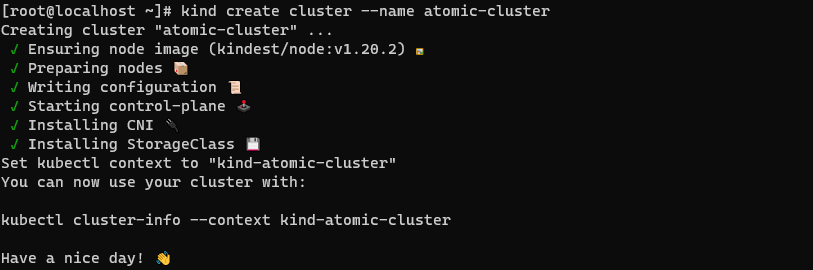
kind create cluster --name atomic-cluster
- Successfully created, as shown below:
Install kubectl
curl -LO "https://dl.k8s.io/release/$(curl -L -s https://dl.k8s.io/release/stable.txt)/bin/linux/amd64/kubectl"
chmod +x ./kubectl
mv kubectl /usr/bin/kubectl
Create the pod
kubectl --context kind-atomic-cluster run atomic-pod --image=alpine --command -- sleep infinity
- Successfully created, as shown below:

Obtain Kubernetes Service Account Token Information
kubectl --context kind-atomic-cluster exec atomic-pod -- cat /run/secrets/kubernetes.io/serviceaccount/token
- The Token information was obtained, as shown below:
