Environment
| IP | HOSTNAME | NOTE |
|---|
| 10.10.10.88 | win10_dqy | Test host |
Introduction
- An attacker may attempt to examine user activity on a host, such as the speed of mouse movement and clicks, browser history, bookmarks, or the number of files in commonly used directories (such as the home directory and Desktop), and then use the findings as a basis for taking different subsequent actions.
Reproduction Process
Check the Number of Files in the Documents Directory with PowerShell
- The image below shows the contents of UserActivity.ps1. It counts the number of files in the user's Documents directory. If the count is greater than 8, it prints "OK"; otherwise, it outputs "NO".
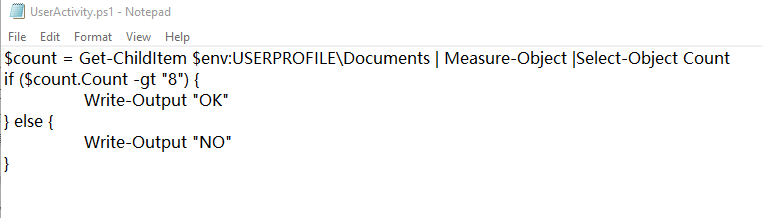
$count = Get-ChildItem $env:USERPROFILE\Documents | Measure-Object |Select-Object Count
if ($count.Count -gt "8") {
	Write-Output "OK"
} else {
	Write-Output "NO"
}
- Use the Get-ChildItem command to verify the number of files in the Documents directory.

- Next, run the UserActivity script. It should print "OK".

- As expected, this verifies whether the environment contains work files, or at least whether an employee is active in the Documents working-environment folder.