Environment Description
| IP | HOSTNAME | NOTE |
|---|
| 10.10.10.88 | win10_dqy | Lab host |
Brief Description
- That is, we insert a piece of JS code into a PDF file, and the inserted JS code can be triggered when the PDF is viewed in a browser.
Reproduction Process
Create a PDF Containing JS Code
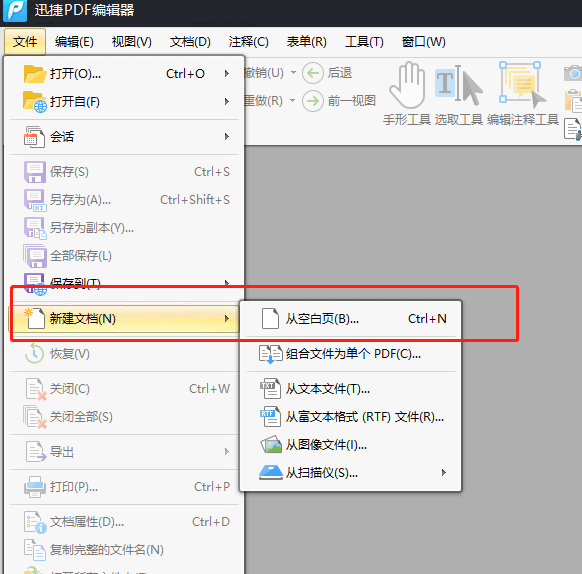
- Here, we create a new PDF file using Xunjie PDF Editor.
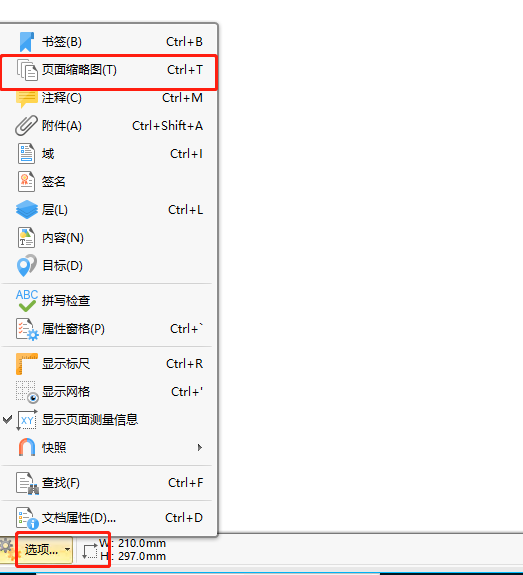
- Click the option in the lower-left corner -> open the page thumbnails.
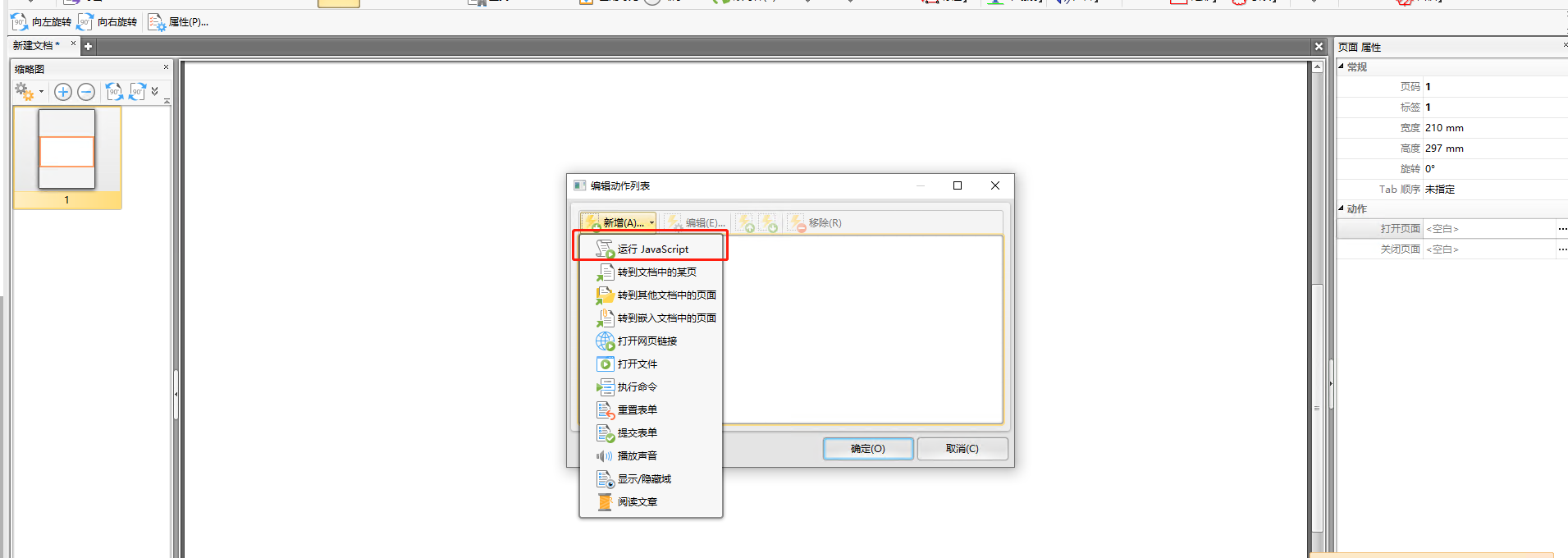
- Then click Properties -> Actions -> Open a Page -> Add -> Run Javascript.
- Then edit the JS code and enter the following JS code to trigger a pop-up, as shown below:
app.alert('xss');
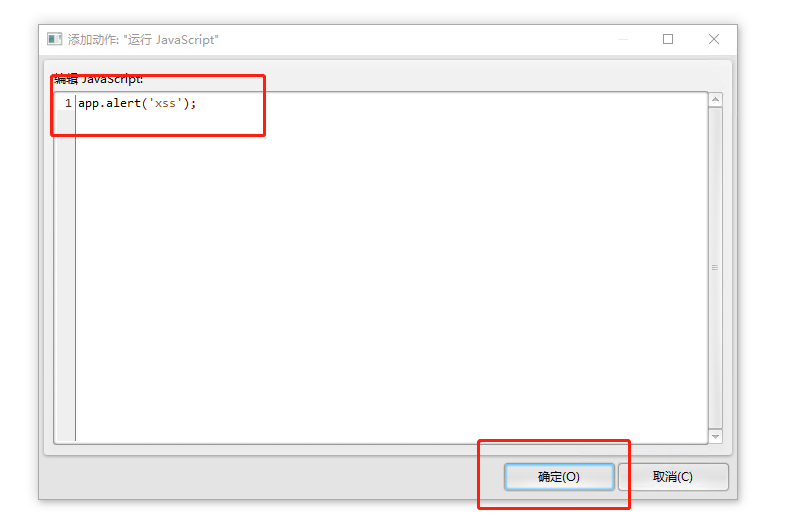
- Confirm and save it as xss_pdf.pdf. The PDF file containing JS code is now complete.
Create an HTML Document That Loads the PDF
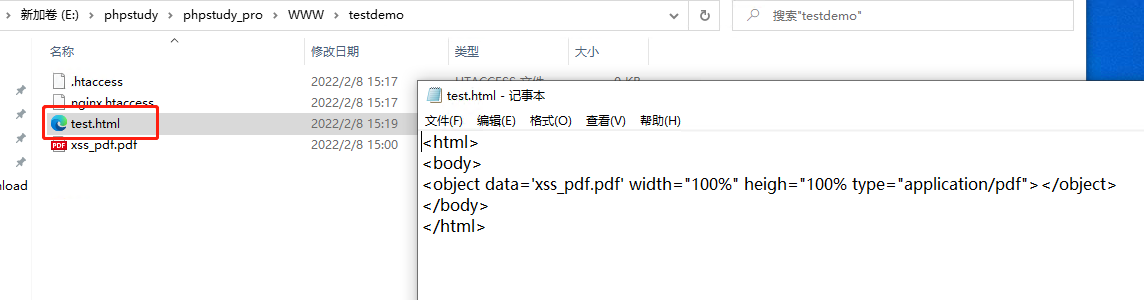
- We try to load the PDF in the same directory through an HTML tag and save it as test.html.
<html>
<body>
<object data='xss_pdf.pdf' width="100%" heigh="100% type="application/pdf"></object>
</body>
</html>
Deploy and Trigger the XSS Vulnerability
- Deploy test.html and xss_pdf.pdf containing the JS code together on a web server, then access them through the chrome browser:
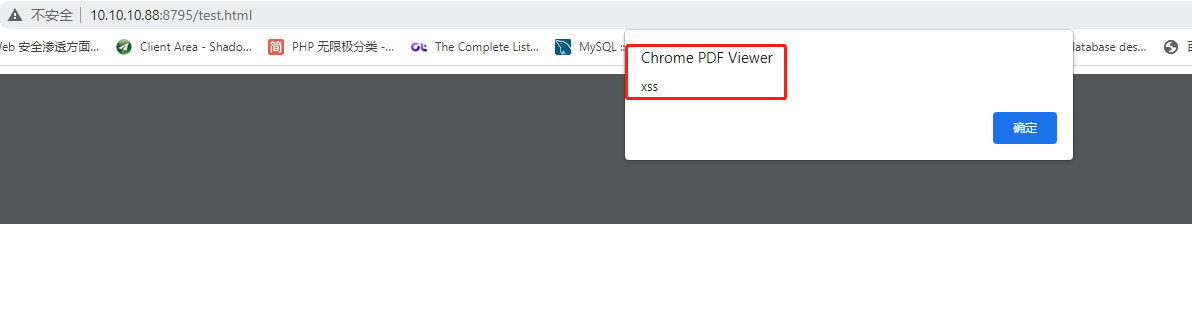
- As shown above, the XSS vulnerability was triggered successfully.