Environment
| IP | HOSTNAME | NOTE |
|---|
| 172.16.106.71 | KC360_WIN2012_1 | Domain controller |
| 172.16.100.52 | KC360_WIN10_3 | Domain-joined host |
Introduction
- SSP stands for Security Support Provider and is also known as a Security Package. In simple terms, an SSP is a DLL used to implement identity authentication.
- SSPI stands for Security Support Provider Interface and is the API invoked by the windows system when it performs authentication.
- LSA stands for Local Security Authority and is used for identity authentication; the common process is lsass.exe. Because LSA is extensible and is loaded into the lsass.exe process when the system starts, we can effectively customize a dll and have it loaded into lsass.exe at system startup.
- The mimilib.dll file in the mimikatz project implements the SSP API, so we can use mimilib.dll to steal user credentials.
Reproduction Process
Configure mimilib.dll
- We can obtain mimilib.dll from the official mimikatz release page at the following link:
https://github.com/gentilkiwi/mimikatz/releases
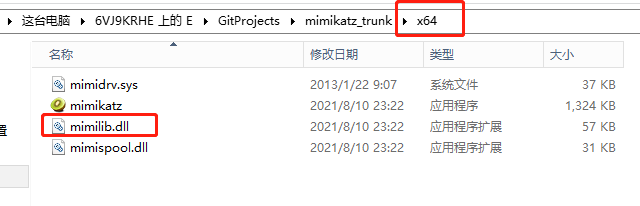
- For a 64-bit operating system, we need to use the 64-bit mimilib.dll. The following image shows mimilib.dll after it has been downloaded.
- Then place mimilib.dll in the C:\Windows\System32 directory:
Add the Registry Entry
- The relevant registry location is:
HKEY_LOCAL_MACHINE\System\CurrentControlSet\Control\Lsa\Security Packages
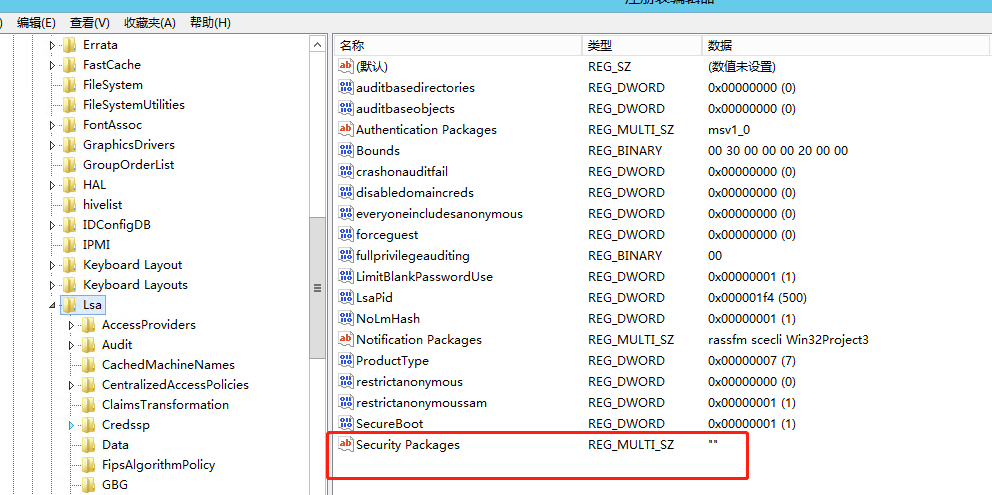
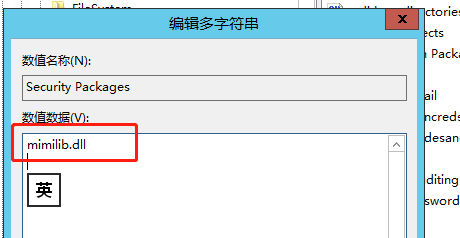
- Then add mimilib.dll to Security Packages, as shown below:
Obtain User Credentials
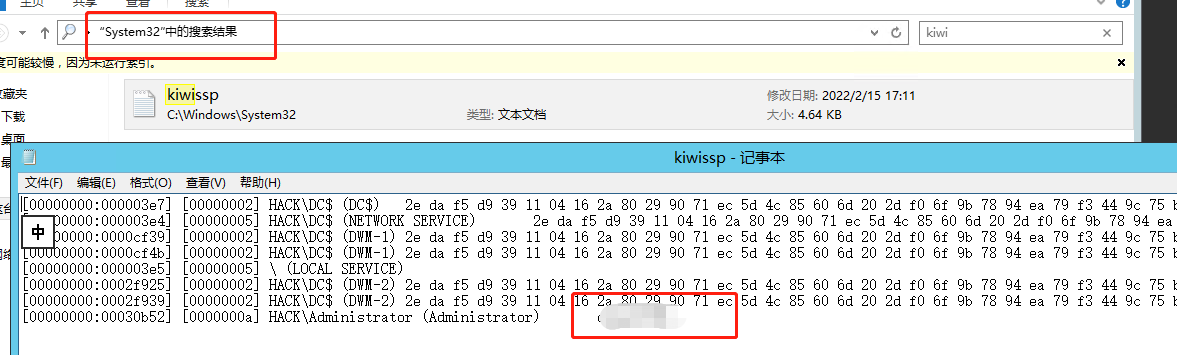
- After adding it, restart the system. A new file named kiwissp can then be found in the C:\Windows\System32 directory; as shown below, it stores our username and password.