Create a Maven Project in IDEA
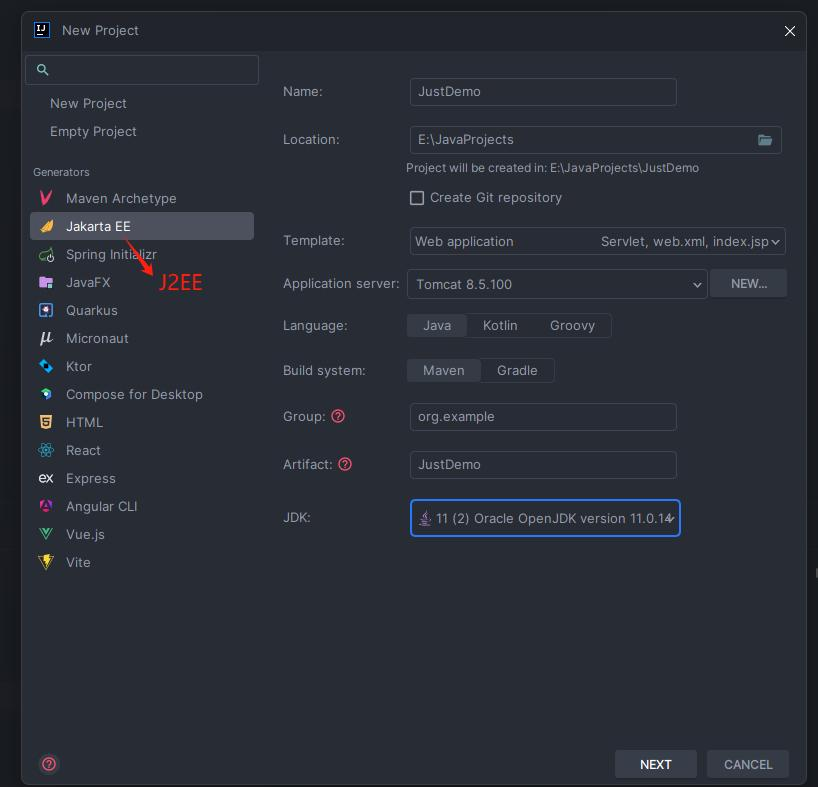
- Create a new Project as follows:
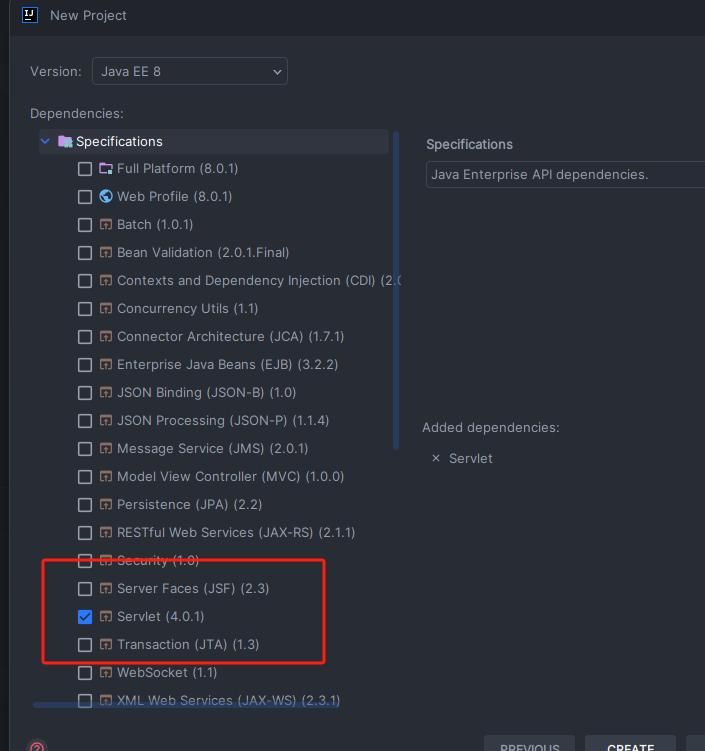
- The Servlet dependency is selected by default; just click Next:
- Once the project is created, you can see the following three sections:
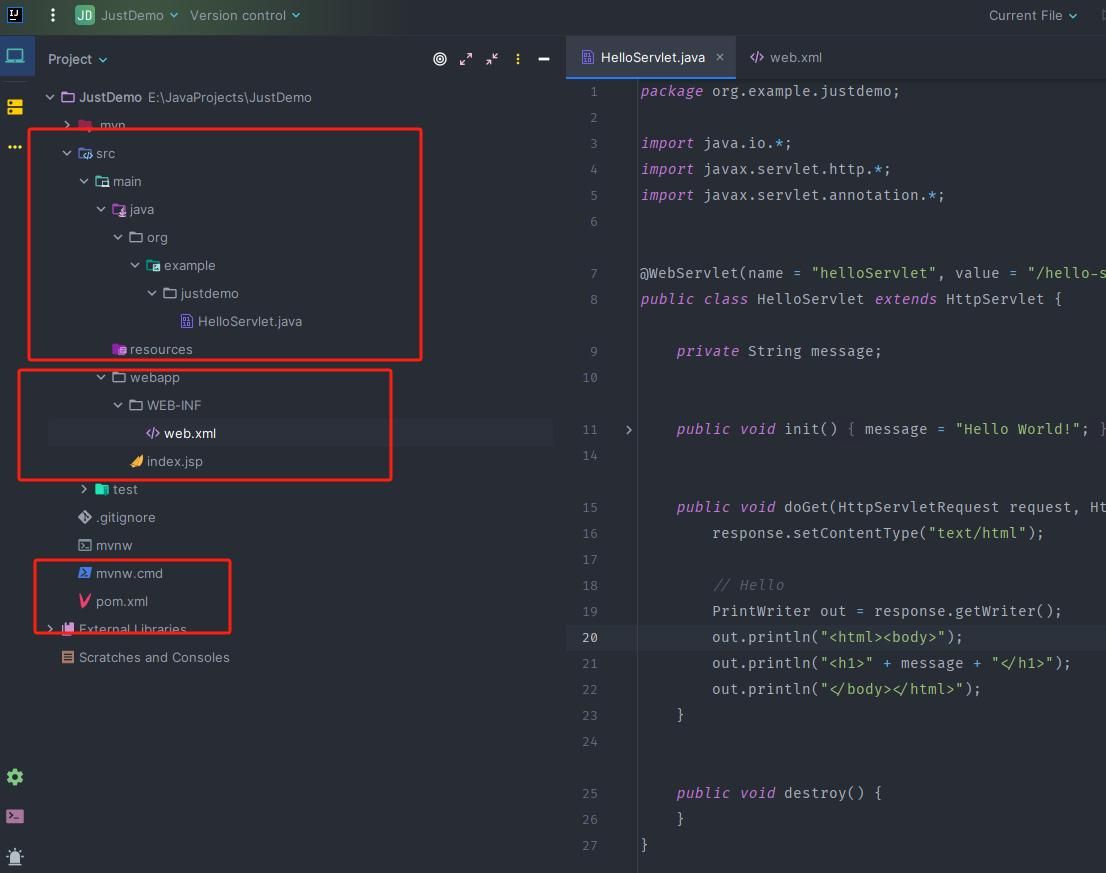
- The first box contains Java source code for components such as Servlet, Filter, and Listener;
- The web.xml file in the second box mainly configures the corresponding Servlet routes, Filter routes, and so on;
- The pom.xml file in the third box mainly specifies the Java dependencies to download;
Build
- Open File -> ProjectStructure in the upper-left corner and proceed as follows:
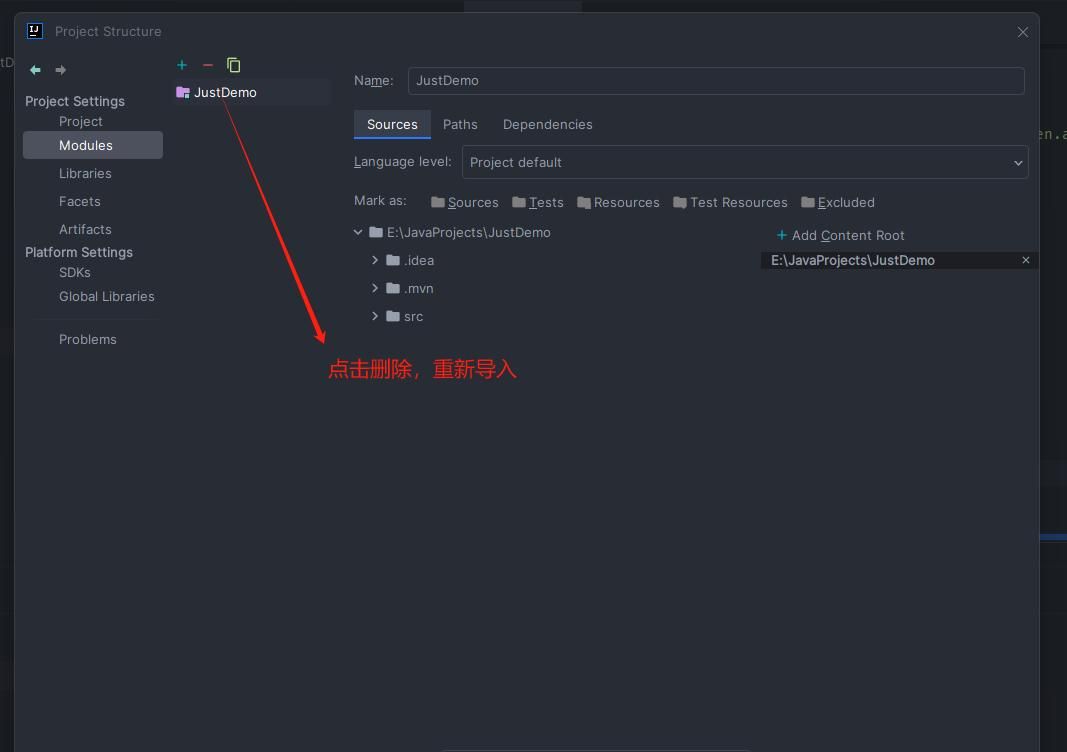
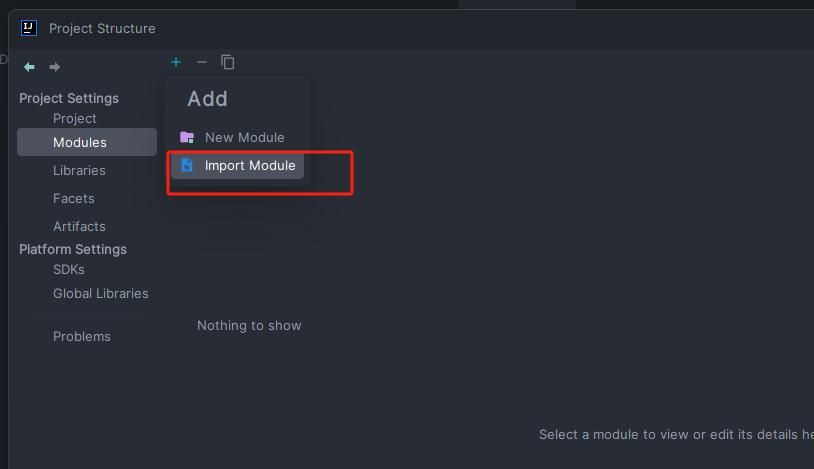
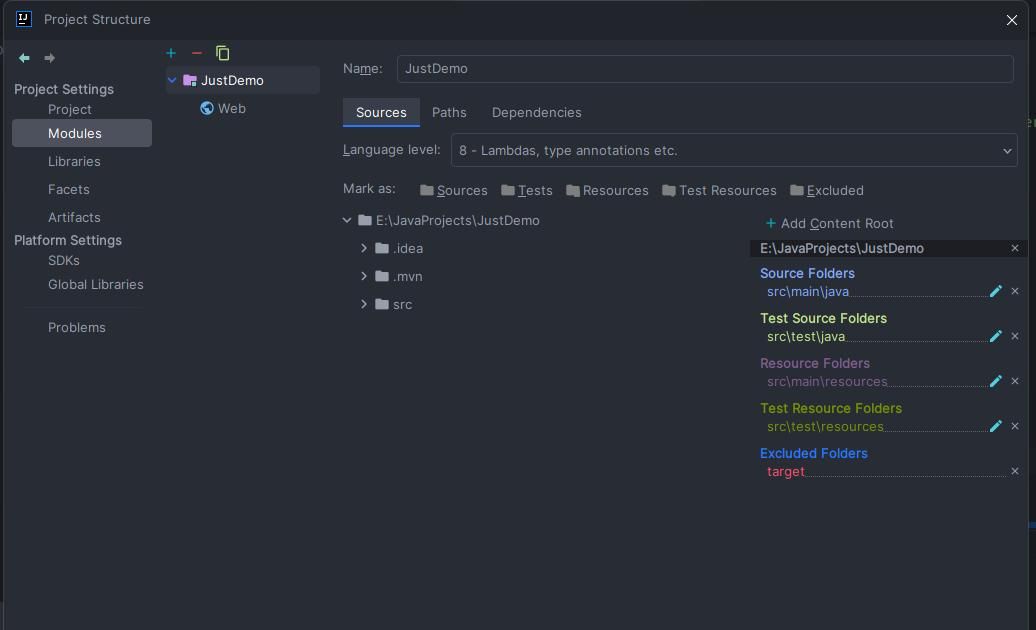
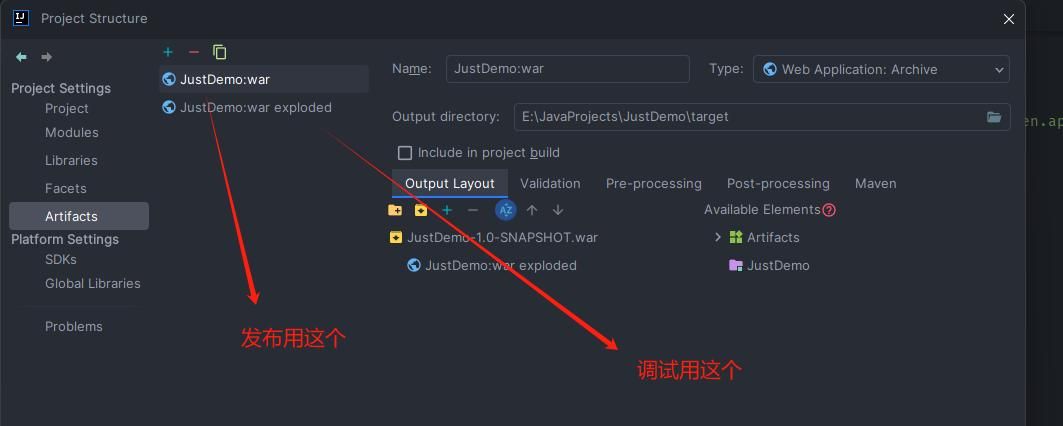
- Then build either a war package or war exploded (an unpacked war; "exploded" means unpacked here). One is used for deployment, while the other makes debugging easier because we can modify the code in war exploded directly without recompiling and redeploying it.
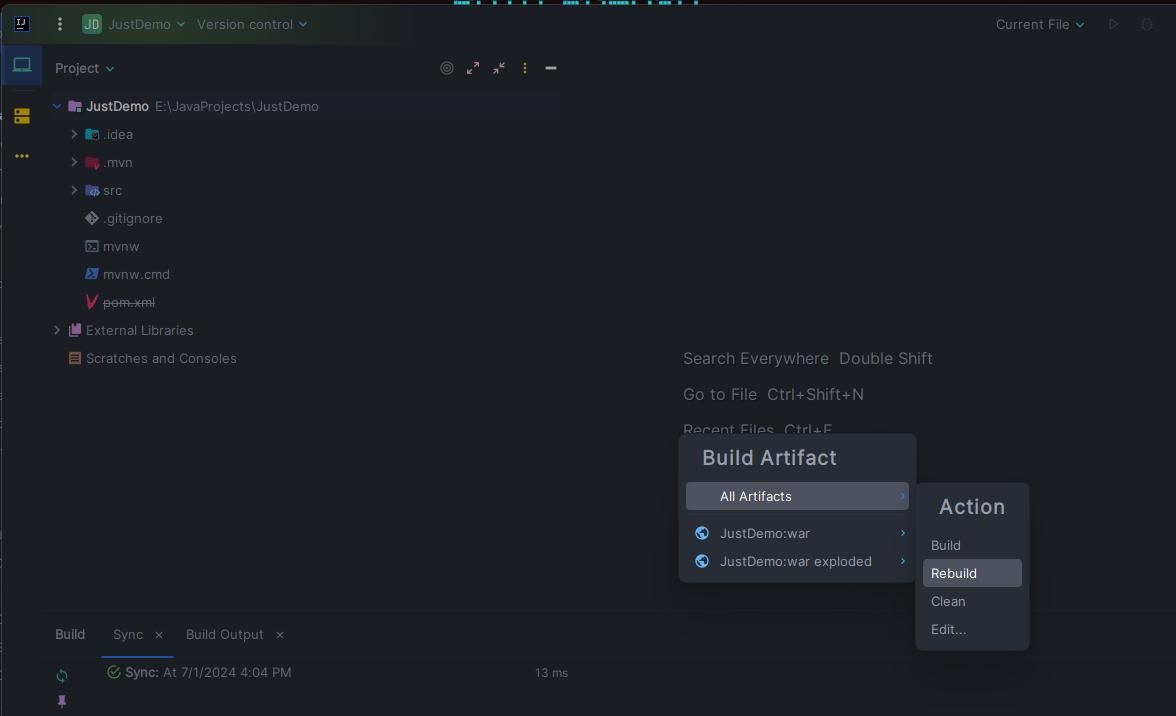
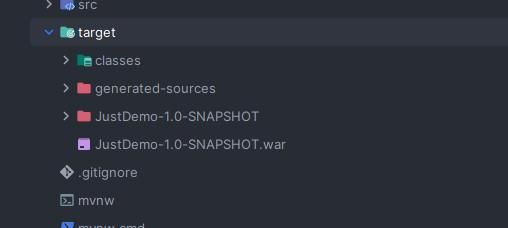
Run
- For local execution, add Tomcat Local as follows:
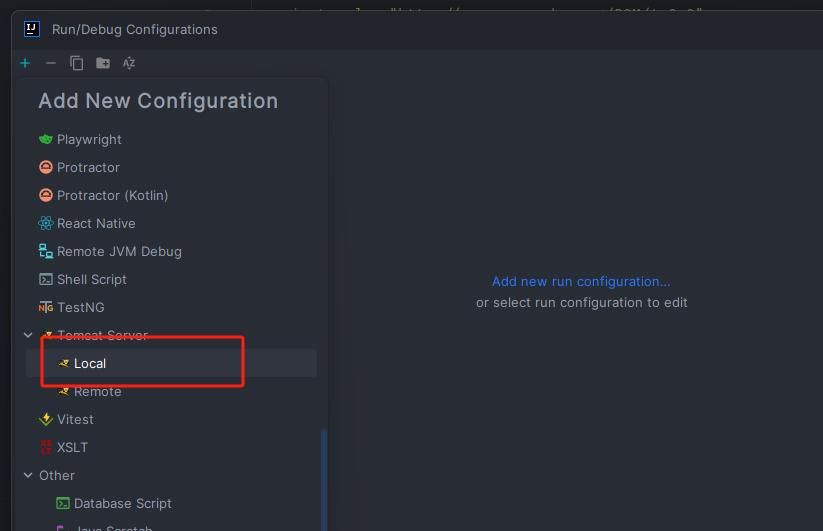
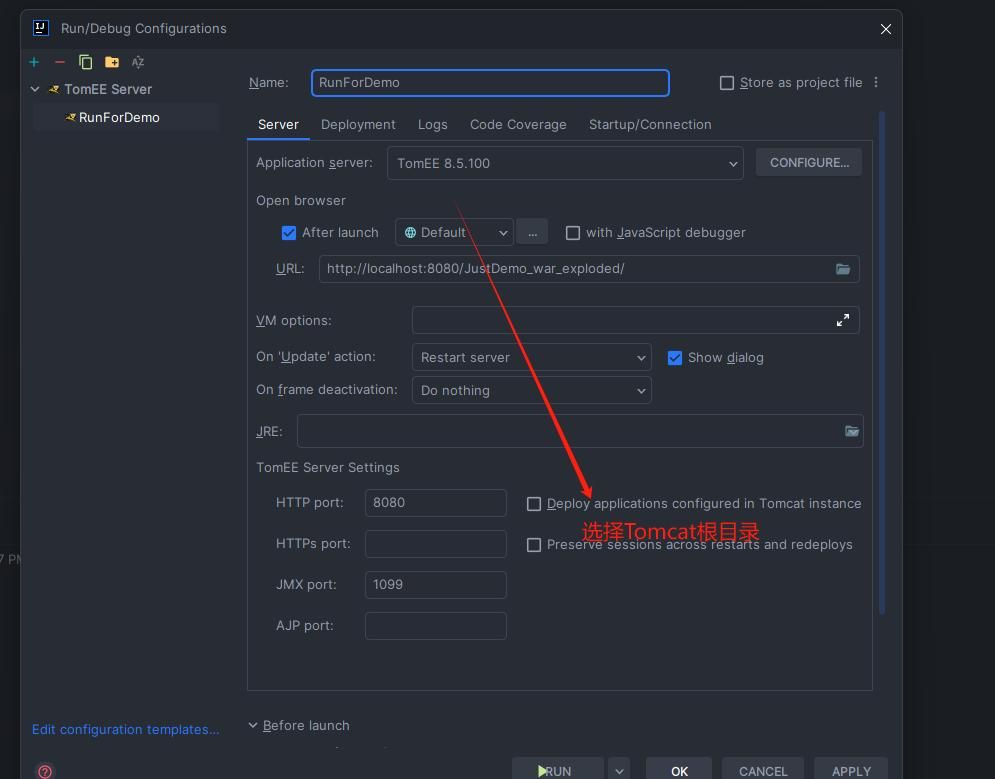
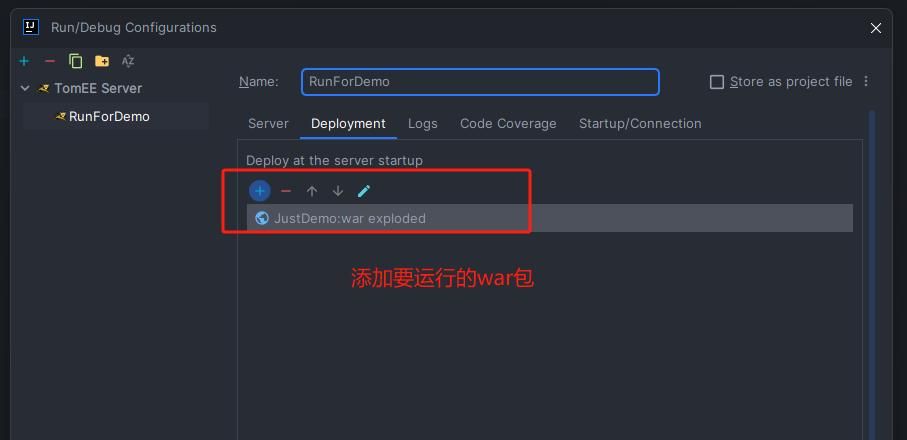
- The selection above is incorrect: it should be Tomcat Server rather than TomEE. Change it accordingly; the configuration options remain the same as above;
- Then click Run.